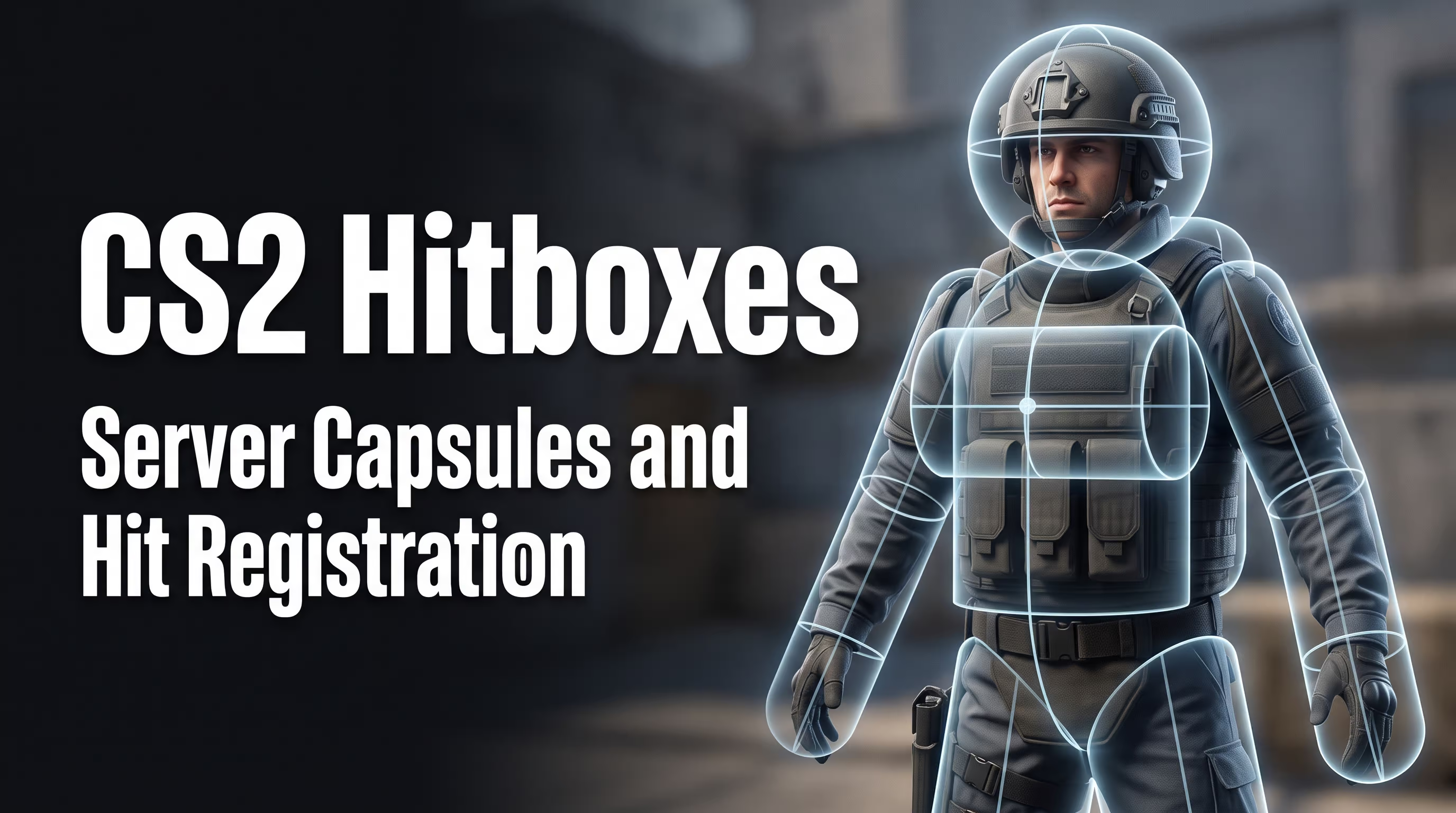
The tradition of digging into a game's technical settings goes all the way back to 1.6, but today a hitbox in CS2 is an invisible server-side hit-registration zone made up of strict geometric shapes (capsules)—not the visual agent texture you see on screen. In this guide, I'll walk you through how these mechanics work, how they affect gameplay, why bullets fly past your target, and how to enable hitbox visualization for effective training. The VRedux portal has assembled the largest knowledge base piece by piece, and now, drawing on years of hands-on experience, I'll break down the inner workings of the Source 2 engine.
If you've ever noticed a bullet fly straight through an enemy's head without dealing any damage, your first thought is that the game is broken. But the cause usually lies in network code desync, sub-tick quirks, or plain weapon spread. My goal is to show you the real hitboxes in CS2 and teach you to diagnose hit-registration issues at a professional level. It's critical to understand from the start how a hitbox actually works in CS2 in practice, so you stop wasting your sanity on empty server accusations.
Expert Verdict: The Core Problem and Solutions
Missed shots, unregs, and false hitmarkers in a shooter are most often caused not by "broken hitboxes," but by a misunderstanding of recoil mechanics, hidden network latency (packet loss), or the visual deception of cosmetic skins. Players constantly blame the server when the fault lies in their own connection or crosshair placement. Meanwhile, the server-side capsule geometry has remained incredibly stable since the critical fixes in late 2023. In 80% of cases, your problem is solved by proper diagnosis and plain-old spray control practice.
Key Reasons for Missed Shots and How to Fix Them
- Visual skin dimensions: You shoot at a protruding backpack, but there's no server-side body part there. Aim strictly at the center of the agent model and completely ignore the gear.
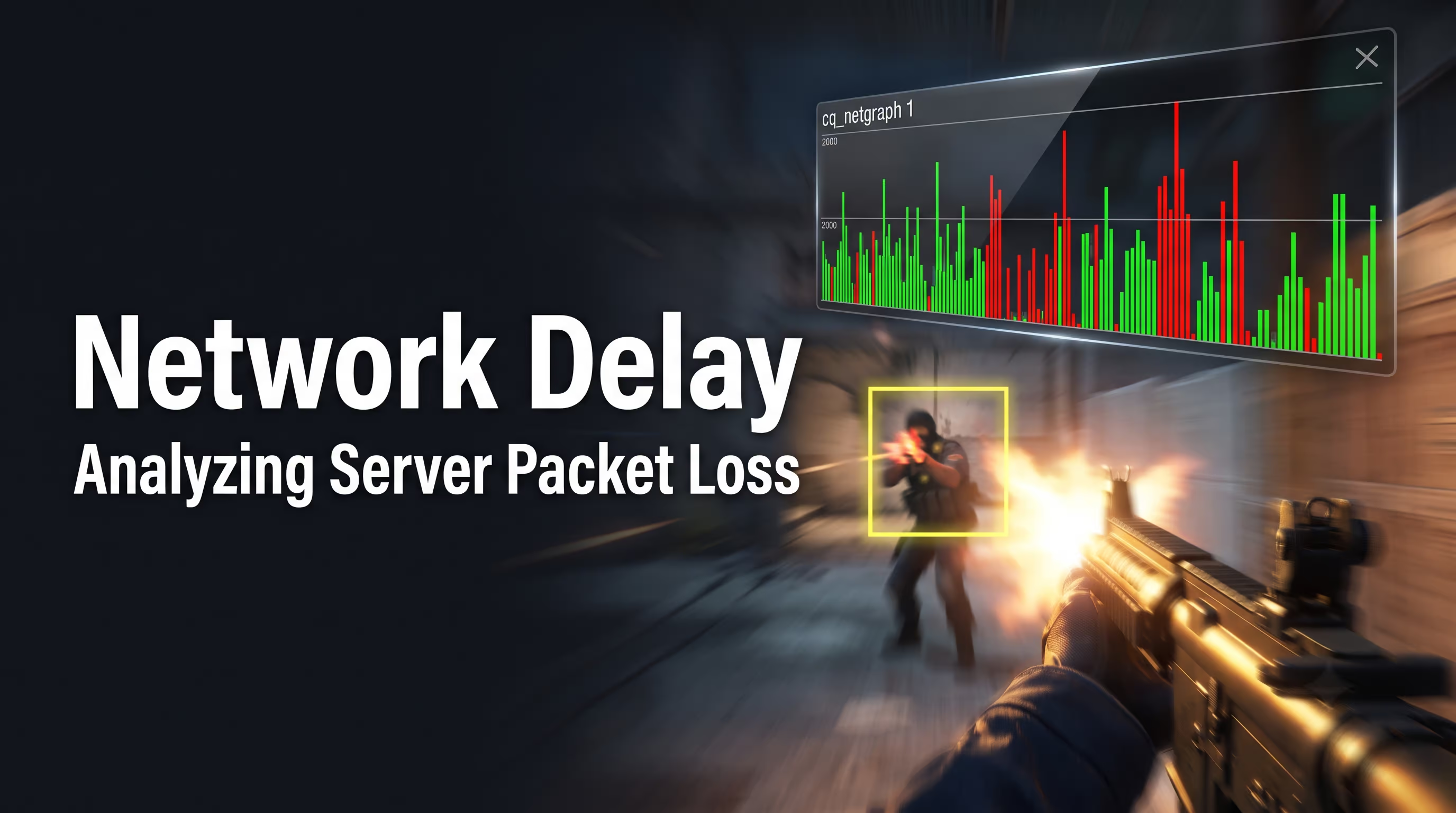
- Telemetry and network latency: If a bullet doesn't register, packet loss or lag compensation is to blame. Enable
cq_netgraph 1for strict connection quality monitoring. - Visualization for training: To see the actual volumes, use the command
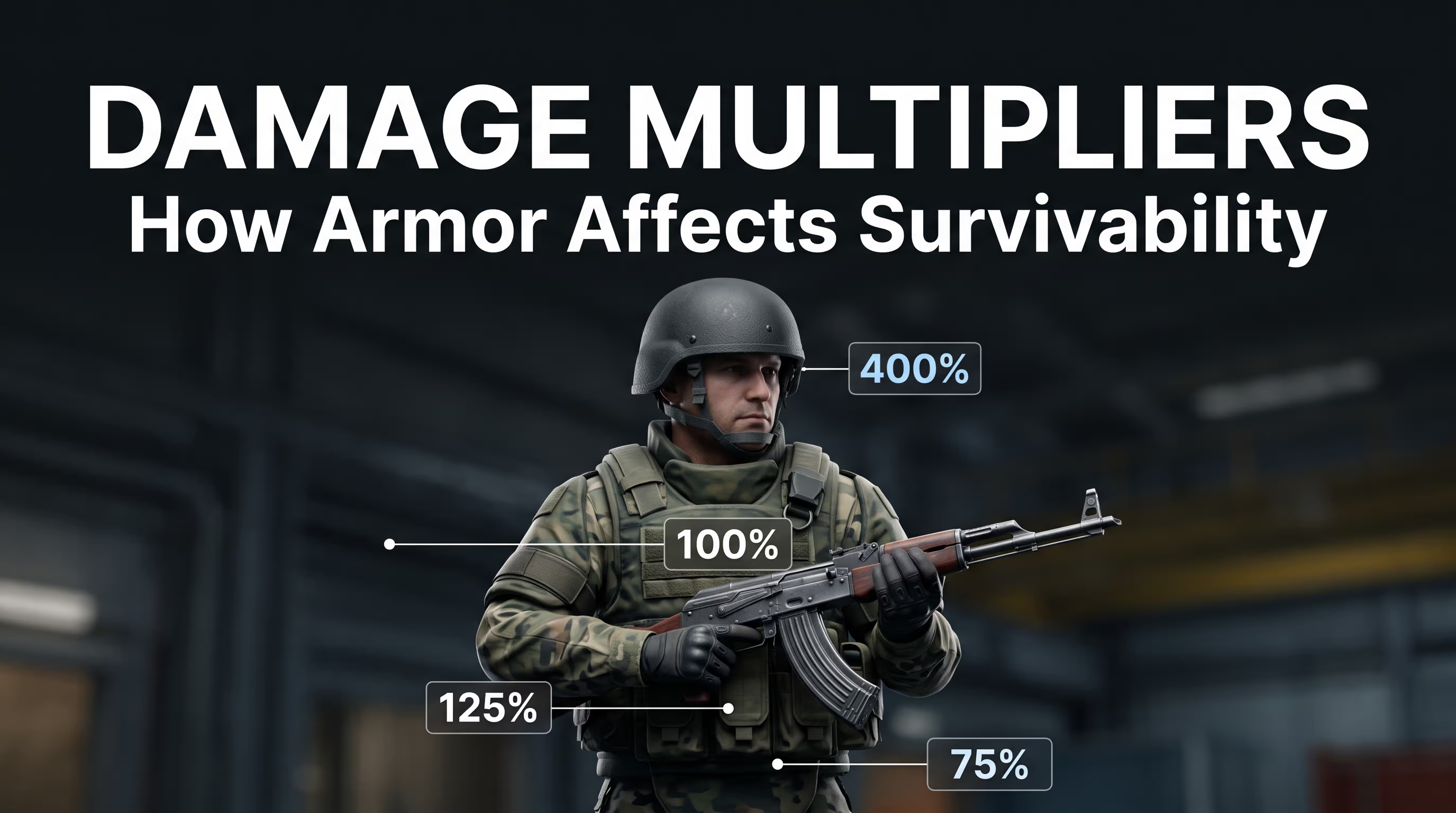
cl_ent_hitbox 1on a local server. This only works withsv_cheatsenabled. - Damage multipliers: A headshot deals 400% damage, stomach — 125%, chest — 100%, legs — 75%. Always account for armor penetration drop-off at long range.
What Is a Standard Hitbox in CS2 and How Source 2 Mechanics Work
Many beginners genuinely believe the server meticulously calculates hits across every single pixel of a beautifully rendered counter-terrorist model. In reality, the game engine uses heavily simplified geometric shapes. This is critical for optimizing network traffic and reducing CPU load during sub-tick calculations. Old-school veterans probably remember how, back in CS 1.6, server admins had to install the HitboxFixer_CS16_ServerPlugin just to fix broken hit registration during a simple crouch. In Source 2, everything operates at the level of deep core architecture.
If you break a player model down into its component geometric parts, you get the following set of functional zones:
- Head: The most valuable spherical capsule, slightly enlarged in CS2 for better and fairer hit registration.
- Chest and back: The main bulky block, composed of several tightly overlapping cylinders.
- Stomach and pelvis: A vulnerable zone with an increased damage multiplier, organically connecting the torso and legs.
- Arms and legs: Thin elongated capsules that are the hardest to hit while the opponent is moving fast (accuracy penalty applies).
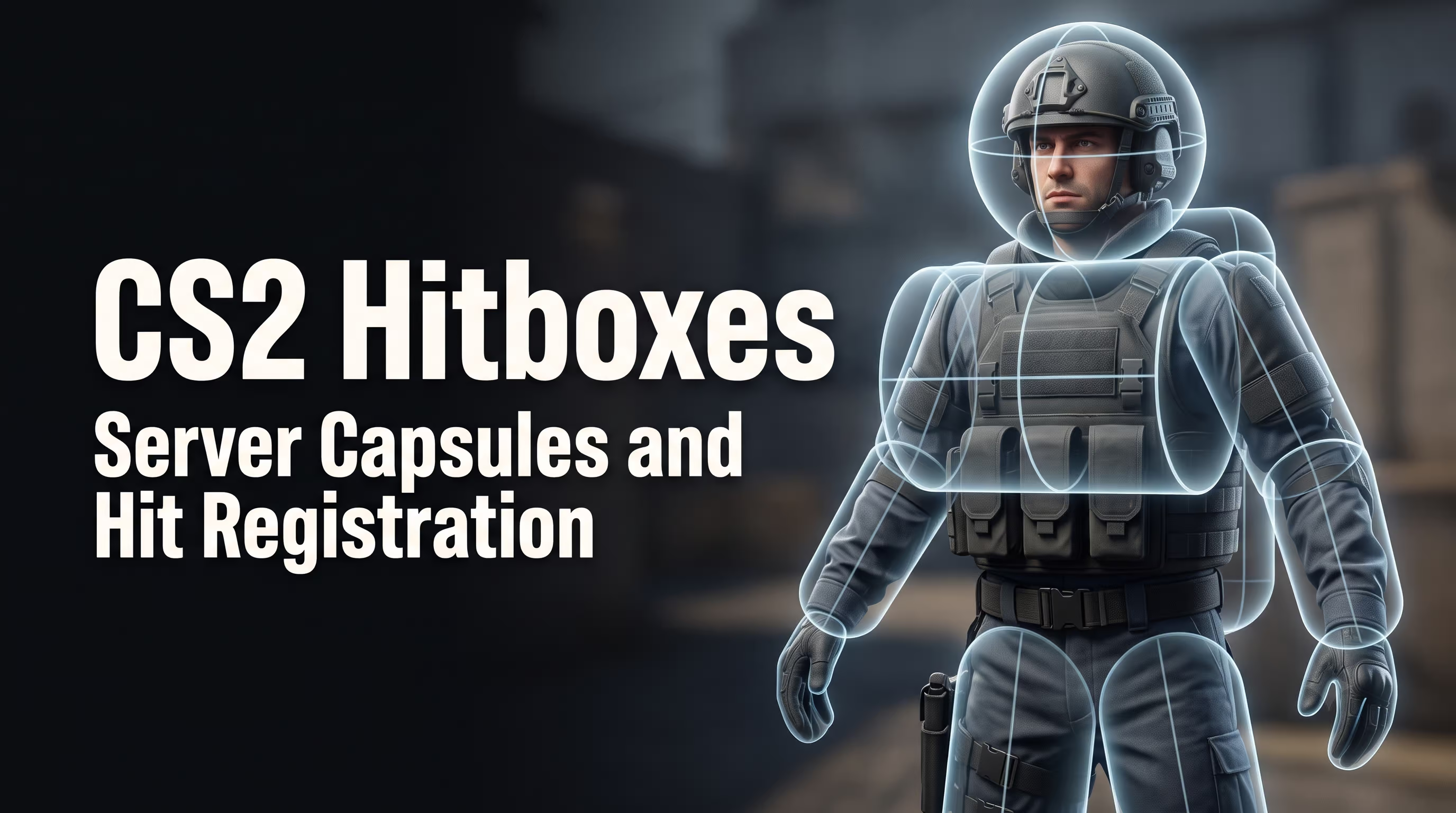
How Server Capsules Differ from the Visual Skin
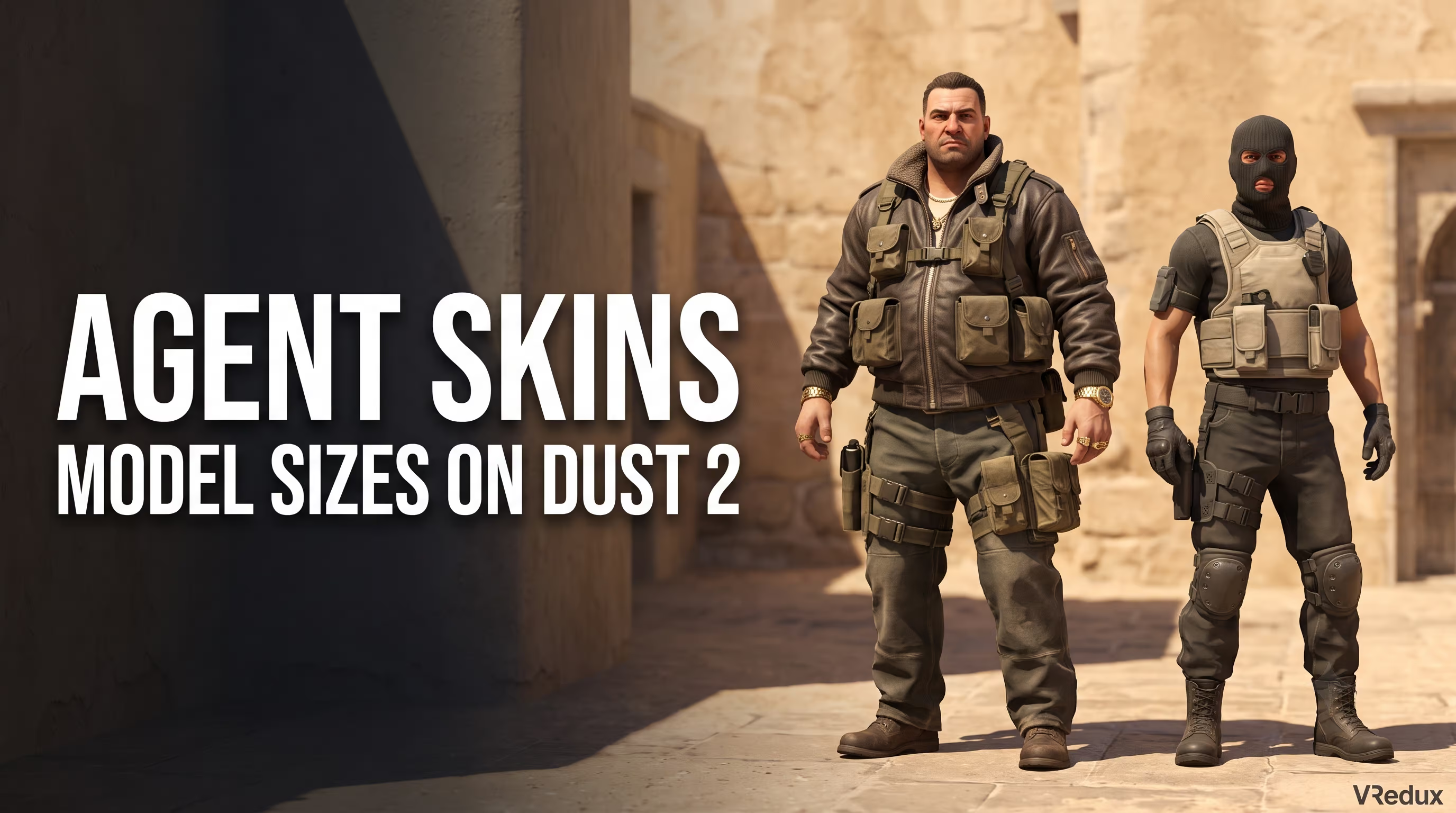
The key idea is simple: the player sees flashy cosmetics, while the server sees dry math. An external skin with tactical pouches, oversized helmets, bulky jackets, and backpacks only creates a visual silhouette. The server-side model is significantly thinner and stricter. If an opponent turns away and you shoot at the protruding edge of their clothing, no damage will register. This isn't a system bug—it's normal mechanics where you simply didn't physically connect with the active capsule.
Why These Mechanics Are Critical for Shooting
Understanding the exact capsule geometry is the foundation of proper crosshair placement. If you keep your crosshair strictly at head level, you minimize the time to land a lethal shot. I've seen inexperienced players aim at the edges of a silhouette countless times, hoping for a lucky registration. Skilled players always aim closer to the center of the chest or neck, where capsule concentration is highest and the chance of an absurd miss is minimal.
Accuracy and Damage Zones: Where the Bullet Lands
In competitive matchmaking (under the strict Glicko-2 system) and the official MR12 format, understanding the math behind damage output is critical. Damage is distributed unevenly depending on which specific zone you hit. If you want to deeply analyze your performance, I recommend checking out our detailed guide on how to view damage dealt by hitbox in CS2, where we broke down the in-interface stat display. For now, let's take a detailed look at the base server-side multipliers.
Final damage depends not only on the hit zone but also on hidden parameters unique to each weapon (for example, armor penetration and damage fall-off). The AK-47 penetrates heavy armor at 77.5%, while the base Glock-18 manages only 47%. That's exactly why mindlessly spraying into an armored chest with pistols barely scratches the enemy, forcing you to aggressively target unprotected body parts.
A quick rundown of how armor affects your survivability:
- Helmet: Saves you from an instant one-tap from an M4A4/M4A1-S at range and eliminates the brutal screen shake when you get hit (aim punch).
- Kevlar: Absorbs a significant portion of kinetic damage to the chest and stomach.
- No armor: Leg shots always deal 100% of their calculated damage, since the 75% multiplier is applied to the weapon's raw base damage.
What a Headshot (400%) Gives You
The head is the absolute priority for any competitive player. The massive 400% multiplier means rifles like the AK-47 guarantee a one-tap kill even through a purchased helmet. The only exceptions are the counter-terrorist M4A4 and M4A1-S, where balanced armor means you'll deal roughly 90–92 damage at medium range. Worth noting: in the current meta, head capsules are slightly larger compared to CS:GO, which has made landing clean headshots a bit easier.
Why the Stomach Is Often Better Than the Chest (125%)
Here's a rather non-obvious tactical nuance. The stomach multiplier is 125%, while the armored chest sits at just 100%. During an aggressive spray with SMGs like the MAC-10 or MP9, it's often far more effective to aim at the pelvis and exposed stomach area. Yes, weapon spread increases slightly, but the high base damage lets you delete an enemy much faster at close range—especially against force buys or eco rounds.
CS2 Hitbox Commands: How to Enable and View Them
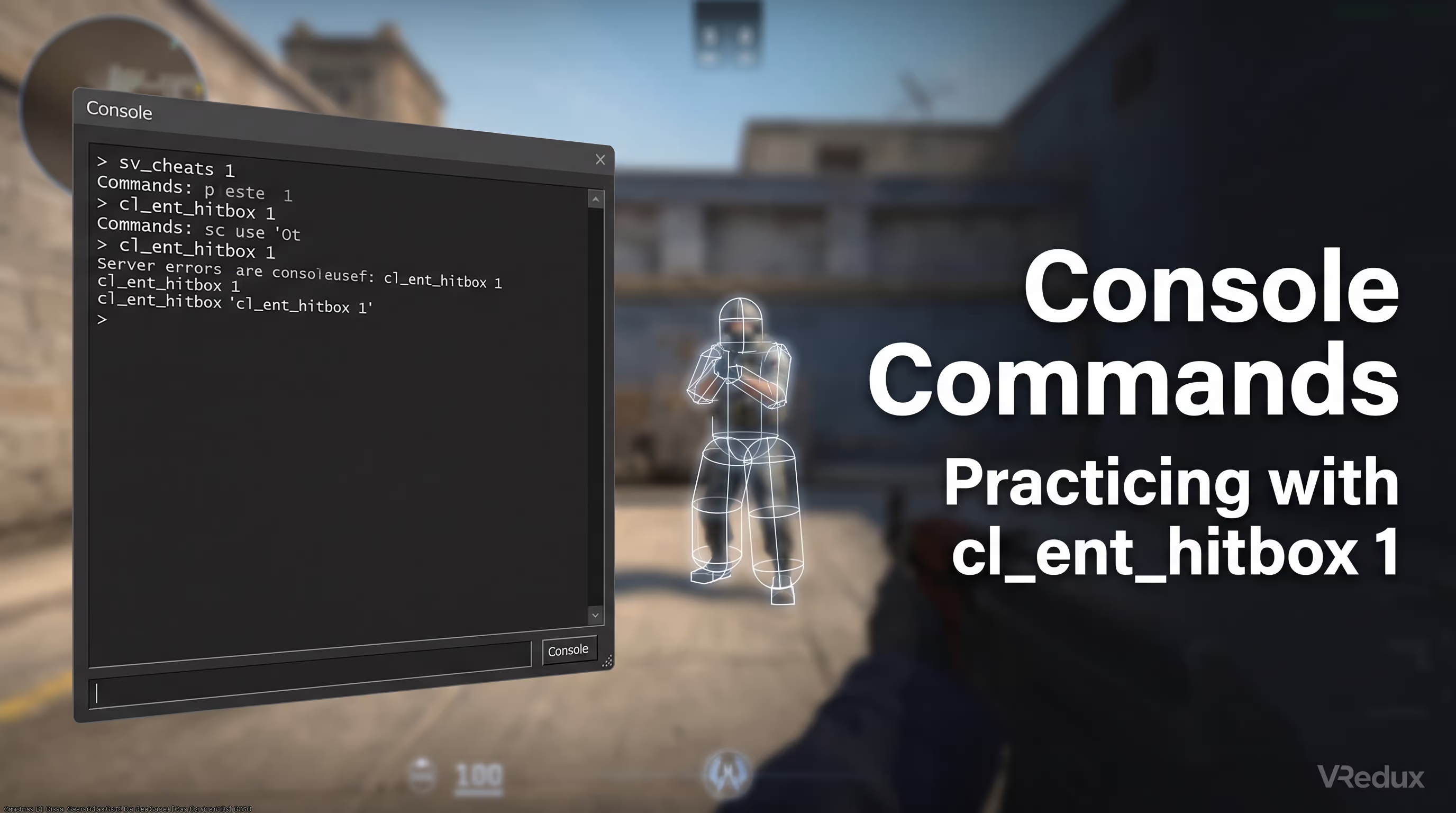
Let's set the record straight right away: you can legally view and study capsules in detail exclusively on a local server or in offline bot practice. Many players constantly ask how to enable bullet hitboxes in CS2 to see bright tracers or outlines right in a competitive match. The answer is strictly no—impossible. In matchmaking, on FACEIT servers, or in Premier mode, these commands are hard-blocked by the engine itself. If you're looking for how to view a hitbox in CS2, use the command cl_ent_hitbox 1—this is the primary legal developer debug tool, not a built-in cheat.
How to Open the Console
Before entering any command, you need to forcibly activate the developer console. Go to the game's main settings, select the "Game" section, and set "Enable Developer Console (~)" to "Yes." If your trusty tilde key stubbornly refuses to work, check your keyboard layout—it must be set to English. Sometimes third-party programs or overlays hijack the keypress, so as a last resort, simply rebind the console to a different key through the controls settings. Detailed troubleshooting and every possible fix are covered in our guide on how to properly open the console in CS2 for hitbox configuration with all the technical nuances. This is critical—otherwise you physically won't be able to activate the debug modes needed for training.
How to Enable cl_ent_hitbox
The primary hitbox command in CS2 is cl_ent_hitbox 1. Here's a detailed step-by-step process for a perfectly configured training session:
- Launch the game in "Practice" -> "Competitive" mode and select your desired map.
- Wait for the local server to fully load, then open the developer console.
- Type the base command
sv_cheats 1and press Enter to activate debug mode. - Then enter the hitbox display command for CS2:
cl_ent_hitbox 1.
Immediately after this, crisp white outlines will appear around the bot models, perfectly matching the server geometry. If you want to disable the visualization and return to the normal view, simply type cl_ent_hitbox 0.
What to Do If the Command Doesn't Work
Honestly, I constantly see naive newcomers trying to enter this code mid-match on official Valve or FACEIT servers. Memorize this once and for all: without the active cheats parameter (sv_cheats), no debug command will fire—the server simply rejects your request to protect competitive integrity. Also make sure you haven't made a simple typo in the syntax. Many players still habitually spam old CS:GO variables, completely unaware that the Source 2 engine has removed them entirely. If you want your debug commands to load automatically every time you launch offline practice, I strongly recommend adding them to your autoexec.cfg with a dedicated alias for your training config. This will save you a ton of time during regular practice sessions.
Agent Hitboxes in CS2 on Dust 2 and Other Maps: Myths vs. Reality
One of the hottest and most toxic debates in the community is the so-called Pay-to-Win argument. Players genuinely believe that buying a specific expensive female agent skin makes them physically harder to hit due to a smaller model. Let's break down in detail whether agent hitboxes in CS2 actually differ from the classic default models, based on hard research and Valve patch analysis.
Were Hitboxes Different in CS:GO?
Yes, in the bygone CS:GO era, a massive difference genuinely existed—and it's no myth. In 2022, analyst Ansimist conducted a large-scale technical study that conclusively proved the Professionals faction (Terrorists) had an actual head volume 16.75% smaller than the heavy SAS operatives (Counter-Terrorists). This created a wild imbalance on the pro scene, where players like s1mple or apEX squeezed every millisecond of advantage from each model detail.
What Changed in CS2
During the global transition to the new engine, developers radically reworked the geometry. In beta tests and the final release version, the standard hitbox was strictly equalized across absolutely all available models. Head volume was forcibly increased by 4–20% relative to various agents from the previous game, while the neck, hands, and feet became slightly more compact and logical. Server capsules are now mathematically identical for everyone, regardless of the cost of the equipped skin. Finding the "best" agents in CS2 by hitbox is no longer possible—they simply don't exist in the current codebase.
How Skins Affect Gameplay Now
Since there's no longer a mathematical difference, custom skins affect only the visual silhouette and sneaky camouflage against certain map textures. You can gain a tactical edge not through a "narrower" capsule, but by literally blending into the background.
- Compact skins: Trapper, D Squadron Officer, Vypa Sista. They visually appear smaller, forcing the opponent to spend longer focusing on the center of mass during a quick peek.
- Bulky skins: Sir Bloody Darryl, Safecracker Voltzmann. I personally strongly recommend avoiding these. Their massive, heavy jackets give away your position around a corner well before you've even finished peeking.
To counter the dangerous camouflage effect of enemy skins, I recommend thoroughly studying how enhanced player contrast works in CS2 for better model visibility against dark brick wall backgrounds.
Why Bullets Miss: Network Latency, Spread, and Recoil
When a sneaky opponent kills you through a wall and your pixel-perfect bullet flies through their head without dealing a shred of damage—what's your first instinct? Uninstall the game from your drive. I've personally caught brutal unregs in incredibly tense clutches more times than I can count. However, the technical issue isn't always in the model geometry. Most often, bullets miss due to a complex web of network factors.
Here's the full checklist of causes that consistently break your shot registration:
- Packet Loss: If data from your home ISP gets lost en route to the server, your shot literally "vanishes" into the void—even though the loud gunshot sound played in your headphones.
- Lag Compensation: The server desperately tries to equalize timing for players with vastly different pings. Sometimes it coldly decides the opponent ducked behind the wall a millisecond before you pulled the trigger.
- Client-Side Prediction: Your client optimistically draws blood on the wall (predicting a hit on your PC), but the server (sub-tick) processes the situation differently and flatly rejects the damage.
- Movement Inaccuracy: In CS2, even a single micro-step while firing massively increases the spread of every available weapon.
The 2023 Bug Story
In the fall of 2023, the massive community was in genuine fury: players were mass-uploading viral videos where hitboxes while crouching, defusing the bomb, or simply looking down lived a completely separate life from the agent textures. You could empty an entire mag into a terrorist staring at the ground and deal exactly zero damage. This dire situation was saved by the critical patch on October 10, 2023, which permanently fixed the majority of these errors.
How to Tell a System Bug from Recoil
Many players naively blame their misses on poor optimization when the real culprit is their own sloppy shooting. In the current meta, even the first bullet from a powerful AK-47 has microscopic spread at long range. If your entire spray goes way off target, that's not a system bug—that's your personal inability to control recoil or unnecessary movement. The engine punishes shooting while moving incredibly harshly. How do you show hitboxes in CS2 to definitively confirm this? You can't during a live official match, so you need to analyze your mistakes strictly after the game.
How to Check Yourself via Demos and cq_netgraph
In my numerous tests, this approach has proven far more effective than any subjective whining or forum complaints. Make sure to enable telemetry display for poor network conditions in your settings (enter the command cq_netgraph 1). If your packet loss indicator jumps to even 1–2%, your shooting will suffer significantly. For the most detailed analysis, always download GOTV demo recordings: only those honestly show the server-side reality. Watching a regular client-side screen recording is completely pointless, as it doesn't reflect accurate sub-tick decisions at all.
Offline Training: How to Control Recoil and Spread
Knowing the bare theory behind mechanics is only half the battle. To consistently and cleanly win clutches, you need to integrate that knowledge directly into muscle memory. I've developed a pretty clear routine for myself that I confidently recommend to anyone who wants to win rounds with authority.
First, you absolutely need the right maps from the Workshop. I strongly recommend the following starter training set:
- Aim Botz: Perfect for quick flick warm-ups and understanding distance to target.
- CS2G HUB: Excellent for tight spray control against constantly moving targets.
- Yprac (when available): The best maps for prefire practice and clean peeks from specific angles.
Launch your chosen map, activate developer mode, and make sure to enter cl_ent_hitbox 1 along with weapon_debug_spread_show 1.
Crosshair Placement Training
Your primary and most important task is to always keep your crosshair strictly at the center of the bot's white head capsule. Get used to this correct height at various distances. The problem most players have is looking at the floor or the legs, wasting precious fractions of a second on readjustment when an enemy suddenly appears.
Prefire Training and Angle Checking
Use well-placed training cover. Peek around corners so your crosshair is already on the expected enemy position. You should fire in perfect sync with the moment your model stops moving (proper counter-strafe). If you click LMB while still moving, the yellow spread square will instantly show you the bullet sailed way past the capsule into the sky.
Spray Control Practice
Hold down left mouse button right into a tight cluster of bots. Pay close attention to the square drawn by the debug spread command. Your goal is to mentally keep that floating square on the agent's body (in the chest and stomach zone), smoothly compensating for barrel drift with a controlled downward mouse movement. Every weapon has its own unique, unrepeatable pattern.
Reviewing Your Own Demos
So how do you enable hitboxes in CS2 on a demo? Unfortunately, the cl_ent_hitbox 1 command doesn't work on regular matchmaking demos without serious workarounds, since detailed server capsule data simply isn't recorded in GOTV to save file size. But you can use the built-in X-Ray and heavy time slowdown (Shift+F2) to frame-by-frame, thoughtfully track where your crosshair was at the moment of the shot and compare it against the actual barrel recoil.
FAQ: Common Questions About CS2 Hitboxes
Below are answers to the most popular questions about hitbox mechanics, console commands, and agent skins.
<div style="margin: 20px 0 0