Let's be honest: playing Counter-Strike 2 without communication is like playing with your monitor turned off. You might have the best aim in the world, but if you can't hear your teammate screaming "Rush B" or give info about the enemy position, you are going to lose.
 (5).jpg)
I’ve seen so many players struggle because their microphone in CS 2 simply refuses to work, or they don't know the right CS2 voice commands to configure their audio. In this guide, I’m going to break down everything about CS2 voice communication: from basic settings to console commands that actually fix lag and volume issues.
Article Contents:
How to Enable Voice Chat in CS2 (The Basics)
If you just installed the game or reset your config, you might be wondering how to enable voice chat in CS. The good news is that Valve made the menu relatively user-friendly, but there are hidden pitfalls.
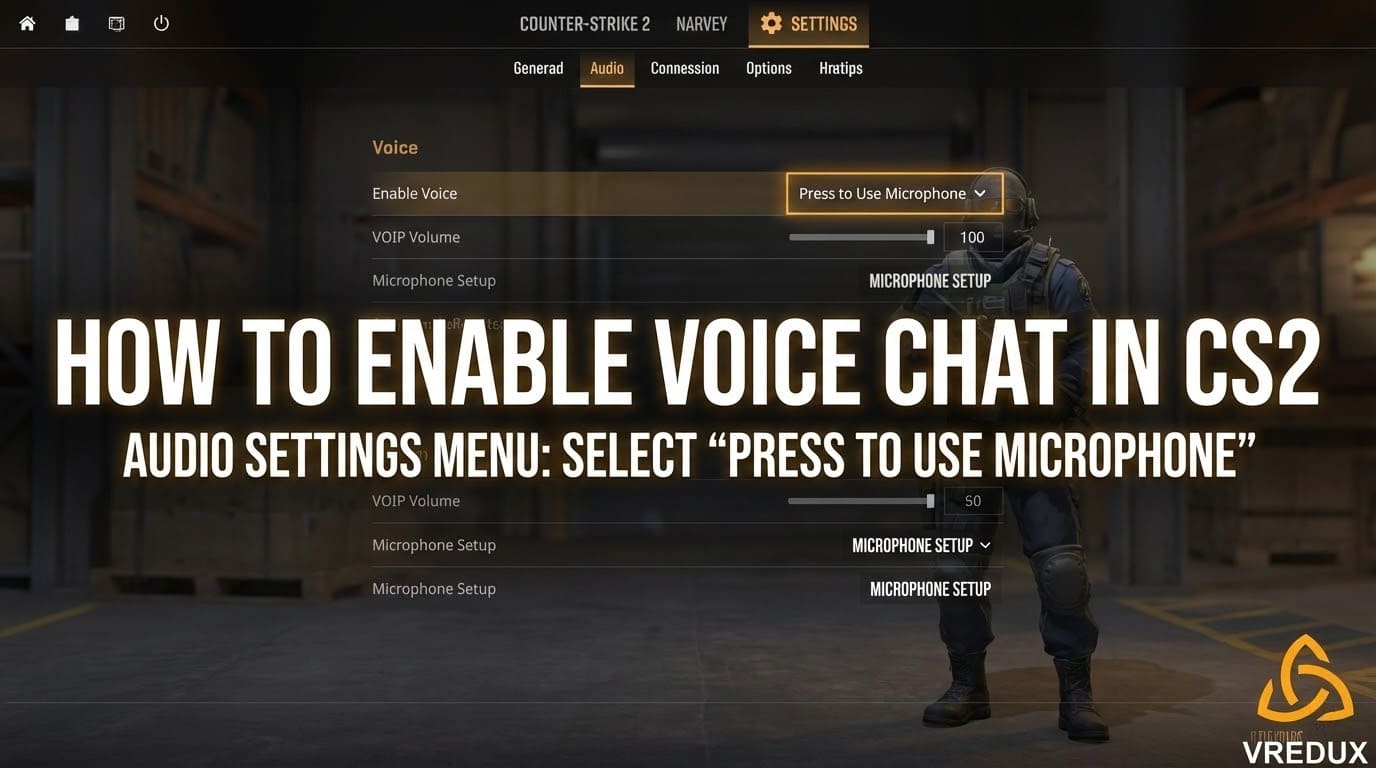
To set up your voice chat in CS 2 via the menu:
- Open the Settings menu (gear icon).
- Go to the Audio tab.
- Find the "Voice" section.
- Make sure Enable Voice is set to "Press to Use Microphone" (Push-to-Talk) or "Open Microphone" (not recommended unless you want your team to hear your keyboard clicks).
Setting the Button for Microphone CS
By default, the button for microphone CS is usually "K". Let’s be real, reaching across the keyboard to "K" while trying to strafe is a nightmare. You need to change this immediately.
Go to Settings -> Keyboard / Mouse -> Communication Options. Here you can assign the microphone in CS key. I personally recommend using a side mouse button (Mouse4/Mouse5) or "V" / "C" / "Left Alt". This lets you use voice chat without taking your fingers off WASD.
 (2).jpg)
CS2 Voice Commands: The Console Approach
If you are a veteran coming from Global Offensive, you know that the menu is for casuals. Real customization happens in the console. If you want to know how to turn on voice in CS 2 using code or fix specific issues, you need these commands.
First, ensure your console is enabled (Settings -> Game -> Enable Developer Console).
Essential CS2 Voice Enable Command
The most common issue is when voice is disabled in CS 2. In CS:GO, we used voice_enable 1. In CS2, this command still exists, but there is a more important one for the new system.
To globally enable the system, type:
voice_modenable 1
If you want to know how to turn off voice in CS 2 completely (mute everyone), set it to 0: voice_modenable 0
Volume and Scale Settings
Is your teammate screaming so loud your ears bleed? Or is the voice chat volume command too low? You don't need to mute them. Adjust the scale.
| Command | Description |
|---|---|
voice_scale 0.5 |
This is the CS2 voice scale command. It changes the loudness of incoming voice chat. 1 is 100%, 0.5 is 50%. |
snd_voipvolume 1 |
Another command that controls the volume of in-game voice. |
Hear Yourself (Loopback)
If you are unsure if your mic in CS 2 is sounding crisp or like a potato, use this: voice_loopback 1
Now, when you press your button to speak in CS, you will hear exactly what others hear. It’s the best way to test if you have a bad microphone in CS or if it's just a setting issue.
Read more about CS2 optimization and FPS Boost
 (1).jpg)
Troubleshooting: Why is CS2 Mic Not Working?
This is the most frustrating part. You press the key, the icon appears, but CS doesn't hear microphone. Or worse, the icon doesn't show up at all. If microphone not working in CS 2 is your problem, try these fixes.
1. Check Default Device in Windows
CS2 pulls settings from Steam, and Steam pulls from Windows.
- Right-click the sound icon in your Windows taskbar -> Sounds.
- Go to the "Recording" tab.
- Right-click your headset/mic and select "Set as Default Device" AND "Set as Default Communication Device".
- If micro not working in CS 2 persists, disable all other inputs (webcams, virtual cables).
2. Steam Overlay Settings
Sometimes voice is disabled CS because Steam is confused.
- Open Steam Friends List -> Settings (gear) -> Voice.
- Check the Input Device.
- Test the microphone there. If the bar doesn't move in Steam, it won't work in CS2.
3. Voice Threshold
If you have quiet microphone in CS, check the command voice_threshold. If this is set too high, the game won't pick up your voice unless you scream.
 (4).jpg)
How to Bind Voice Commands in CS2
You don't want to type in the console mid-clutch. This is where a bind comes in handy.
Clutch Bind (Mute Everyone)
When you are in a 1v3 situation, you don't want to hear your dead teammates backseating. You need a bind to disable voice chat.
Type this in console: bind "j" "toggle voice_modenable 0 1"
Replace "j" with any key.
Now, pressing "J" will turn off mic in CS (mute incoming audio) instantly. Press again to unmute. This is much faster than looking for how to turn off voice chat in CS 2 in the menu every time.
Can You Hear the Enemy Team?
A lot of players ask about the command to hear comms CS2 for the enemy team. Here is the reality check: In competitive, Premier, and Wingman, voice chat is team-only. You cannot hear enemy players and they cannot hear you.
However, in Casual modes or community servers, cross-team chat might be enabled by the server admin using sv_alltalk 1. If you are looking for a CS2 voice enable command to hear enemies in Premier, it doesn't exist. That would be cheating.
Speaking of advantages, if you really want to dominate, good communication is step one. Step two is mechanical skill. If you want to level up faster or get skins to look cool while talking, check out the private VRedux cheat, which offers skin changers and legitimate-looking aim assistance. It helps you focus on the game strategy while the software handles the grit.
 (3).jpg)
CS:GO vs. CS2 Voice Commands
If you are searching for CS GO voice chat commands or CS GO voice commands, be aware that 90% of them transferred to CS2, but some act differently.
- CSGO voice chat command
voice_enableis now often superseded byvoice_modenablein CS2. - CSGO (CS GO) voice volume command
voice_scaleremains the same.
Don't panic if an old csgo voice chat volume command doesn't auto-complete. The console in Counter-Strike 2 usually suggests the new correct variation.
Check out our guide on CS2 Binds
FAQ
How to speak in CS 2?
You need to set a key. Go to Settings -> Keyboard/Mouse -> Communication. The default button voice in CS is usually "K". Hold it down to talk in CS2.
Voice disabled in CS 2 how to enable?
Open the console and type voice_modenable 1. Also, check Audio settings and ensure "Enable Voice" is ON.
How to setup mic in CS?
Set your microphone as the Default Communication Device in Windows, then verify it in Steam Settings -> Voice. Finally, adjust voice_scale in-game.
What is the CS2 voice chat volume command?
The command is voice_scale X (where X is 0 to 1). You can also use snd_voipvolume.
My mic not working in CS 2 but works in Discord?
This is a classic "Default Device" issue. CS2 uses the Steam default, while Discord uses its own. Force the correct input device in Steam Voice settings.
Is there a command to hear comms CS2 from the enemy?
No, enemy team chat is disabled in competitive modes.
How to mute voice in CS?
To mute a specific player, hold Tab, right-click their name, and click the speaker icon. To mute everyone, use voice_modenable 0.
How to connect microphone in CS?
It connects automatically if Windows recognizes it. If CS doesn't hear microphone, try plugging it into the rear motherboard port instead of the front panel.
Conclusion
Setting up your CS2 voice isn't rocket science, but it is necessary. Whether you needed to know how to turn on mic in CS 2, fix a voice disabled CS error, or just find the right button to speak in CS, I hope this guide helped.
Communication is the strongest weapon in Counter-Strike 2. Use it wisely, don't spam the mic, and maybe your random teammates will actually listen to your strats. And if they don't? Well, there's always the mute button.