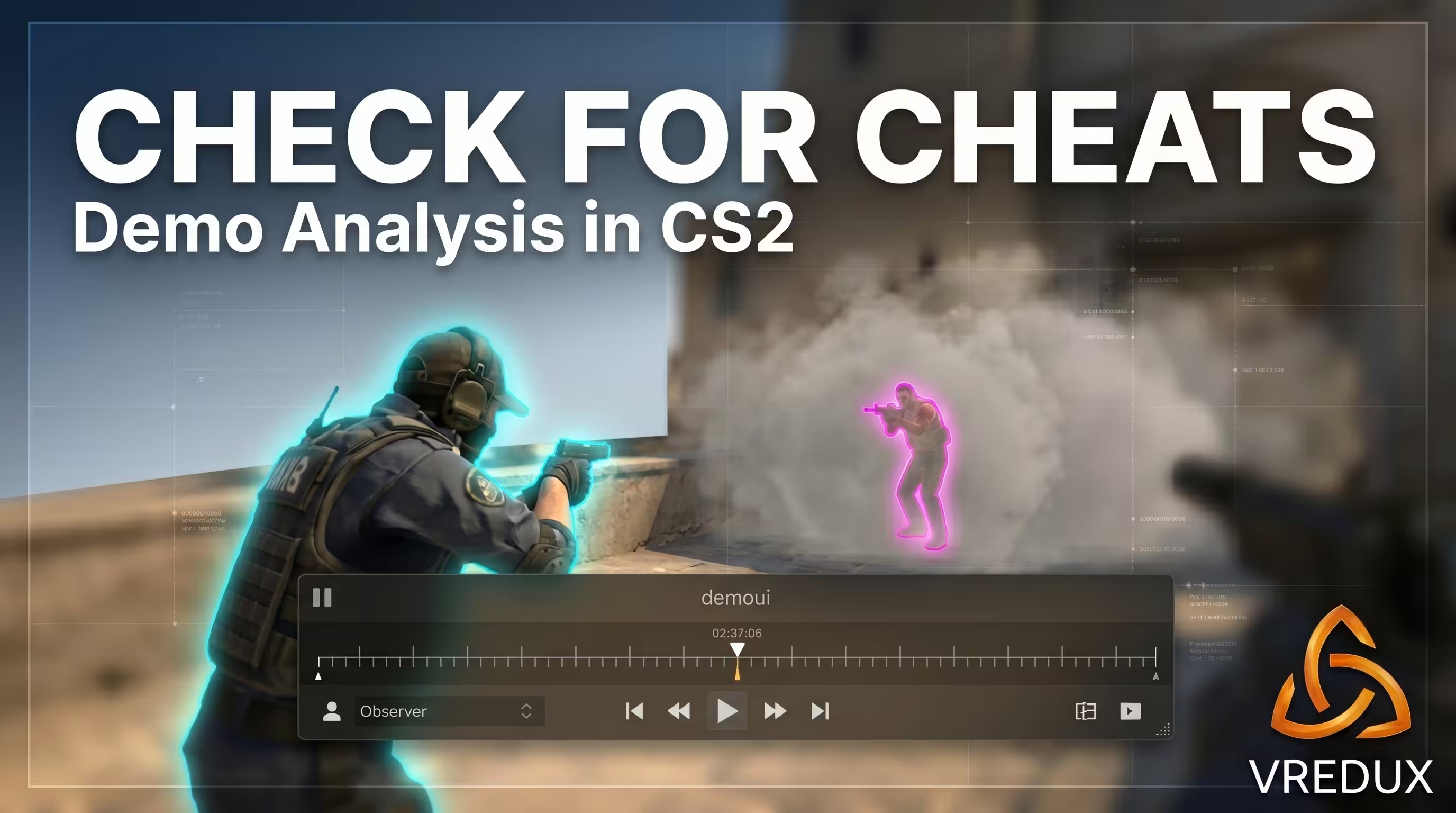
When your ping spikes to 300–400 ms and enemies start teleporting, it's infuriating. But when a player with noob-like movement lands a perfect prefire with zero info—that's a clear marker of cheats. The tradition of binding jump to the scroll wheel and suspecting every other player dates back to CS 1.6. Following the shift to the Source 2 engine, the sub-tick architecture and new volumetric smoke physics heavily altered hit registration. Sometimes it feels like a noreg, and other times—like you're facing a blatant cheater.
I've been administering public and tournament servers for over seven years. In that time, I’ve banned hundreds of closet cheaters who masterfully disguised their aimbot as esports-level skill. In this long read, I’ll show you how to check a player for cheats in CS2, based on fresh 2026 data. We'll break down everything: from server plugins to deep PC forensics and exposing hidden loaders in the AppData folder. If you want to dive deeper into game mechanics, I highly recommend bookmarking the VRedux portal—the largest information hub and knowledge base for gamers.
Guide contents:
- • Quick verdict: 4 check methods and when to use them
- • Part 1. Valve's infrastructure: how the anti-cheat works in 2026
- • Part 2. Server tools: plugins and automation
- • Part 3. Third-party scanners: free and paid solutions
- • Part 4. Manual PC forensics: the admin's methodology
- • Part 5. Behavioral analysis: demos and gameplay markers
- • Part 6. Checking Steam profiles and reputation
- • Part 7. Evidence base and issuing bans
- • FAQ: Frequently Asked Questions
Quick verdict: 4 check methods and when to use them
- Manual demo and Steam profile analysis. Ideal for Matchmaking (MM) and Premier mode. You can't dig into someone else's PC, but you can analyze their movement via X-Ray.
- Server plugins (Check Cheats). The go-to for public server owners. Automates calling a user for a check and freezes them on the server.
- Third-party checkers (EasyCheatDetector). Semi-automated signature scanning software. Fast, but misses quite a bit.
- Deep PC forensics. Hardcore admin level. Using LastActivityView and Everything to hunt for injection traces in the system.
For public servers, a hybrid approach works best: a server plugin for the call-out plus a manual check via AnyDesk or Discord. If you're just grinding Premier, your only tools are the demo and the report button.
Part 1. Valve's infrastructure: how the anti-cheat works in 2026
Valve's modern infrastructure has taken a massive leap forward. We covered the penalties in detail in our article on how VAC anti-cheat works in CS2.
VAC Live and VACNET: server ML-detect vs DMA
VAC Live is a server-side anomaly detection system powered by machine learning (ML). Following a massive update on September 12, 2025, the system started detecting even hardware DMA (Direct Memory Access) cheats that use an external PCIe device to read memory. How does it work? VACNET analyzes aim traces, correlates player behavior across a 50+ match sample size, and measures input timing jitter (click speed anomalies).
While a private cheat on a flash drive used to guarantee safety, DMA has become a high-risk zone in the current Premier mode meta. The system bans not for the cheat file itself (which isn't on the PC), but for unnatural movements that a human simply cannot replicate.
Trust Factor: hidden metric and its impact on matchmaking
Trust Factor is a hidden variable that dictates who you get matched with. You can't see the exact number, but you can gauge the level indirectly. Trust Factor is influenced by account age, VAC ban history in other games, report volume, phone linking (SteamGuard), and overall profile activity.
Checking Trust status is easy via the lobby. If you queue with "green" Trust players and a yellow or red warning pops up in chat when a suspect joins—that's a massive red flag. A player with red Trust will constantly match against other cheaters and toxic players.
Overwatch in CS2: why the public system didn't return
Forget the good old Overwatch from CS:GO. Valve's official stance: since April 16, 2024, the CS2 Overwatch system exists exclusively in a closed format for Trusted Partners. The public investigation system, where any Global Elite could review demos and pass verdicts, was deemed inefficient due to botnets farming innocent verdicts. Now, demos are only reviewed by VACNET algorithms and a tight circle of trusted investigators.
Part 2. Server tools: plugins and automation
If you run your own CyberShoke or local community server, manually checking every suspicious player for CS2 cheats will fry your nerves. Automation through server frameworks is a lifesaver.
Setup and configuration of Check Cheats for CounterStrikeSharp
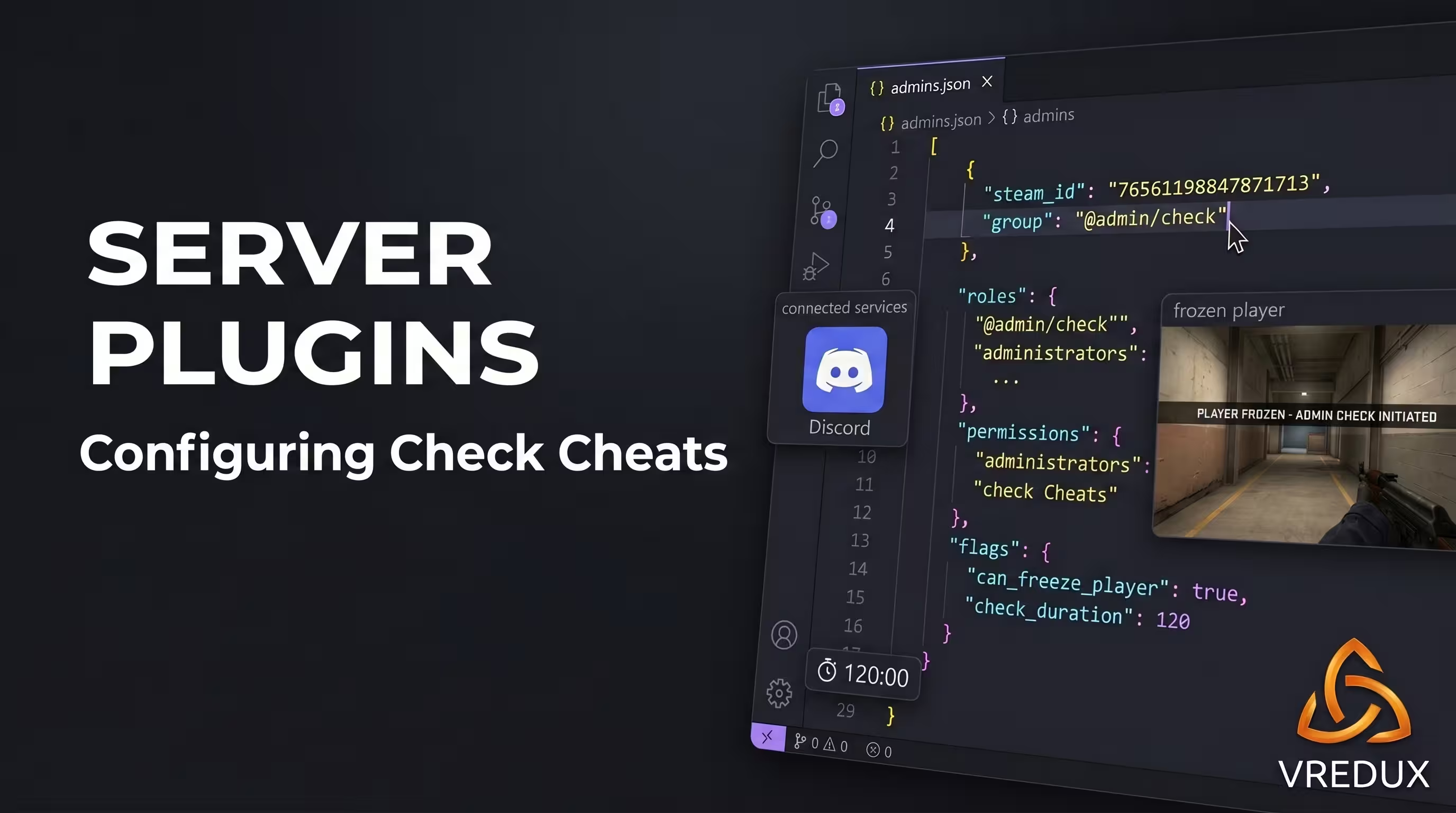
The Check Cheats plugin (by ABKAM2023) is the gold standard of 2026. It doesn't scan for cheats itself; instead, it freezes the player with the !check command, mutes their chat, and displays instructions with your Discord server on their screen. They get 120 seconds to connect. If the player drops from the server—it's an automatic ban.
It requires Metamod:Source version 2.0+ and the latest stable release of the CounterStrikeSharp framework. Bans are issued via the CS2 Admin System module. Here is an example of what the permissions block should look like in the admins.json config file:
Part 3. Third-party scanners: free and paid solutions
Once you've pulled the player into Discord, the question arises: how do you check their system for CS2 cheats? You can poke around manually, or run a scanner (checker). We detailed what offenders usually run in our piece on cheaters in CS2.
EasyCheatDetector: free scanner with a limited database
This is a popular program by UnrealKaraulov. The software scans running processes, hidden drivers, and analyzes the cache. The main perk is total privacy thanks to AES-256 encryption (reports are deleted after 24 hours). But let's be honest: the author claims a CS2 detection rate of around 50%. Private injectors bypass this scanner since it lacks a current server plugin for CS2 integration. Ultimately, you'll still have to open the logs and verify them manually.
CS2Tracker.gg: AI signals and statistical analytics
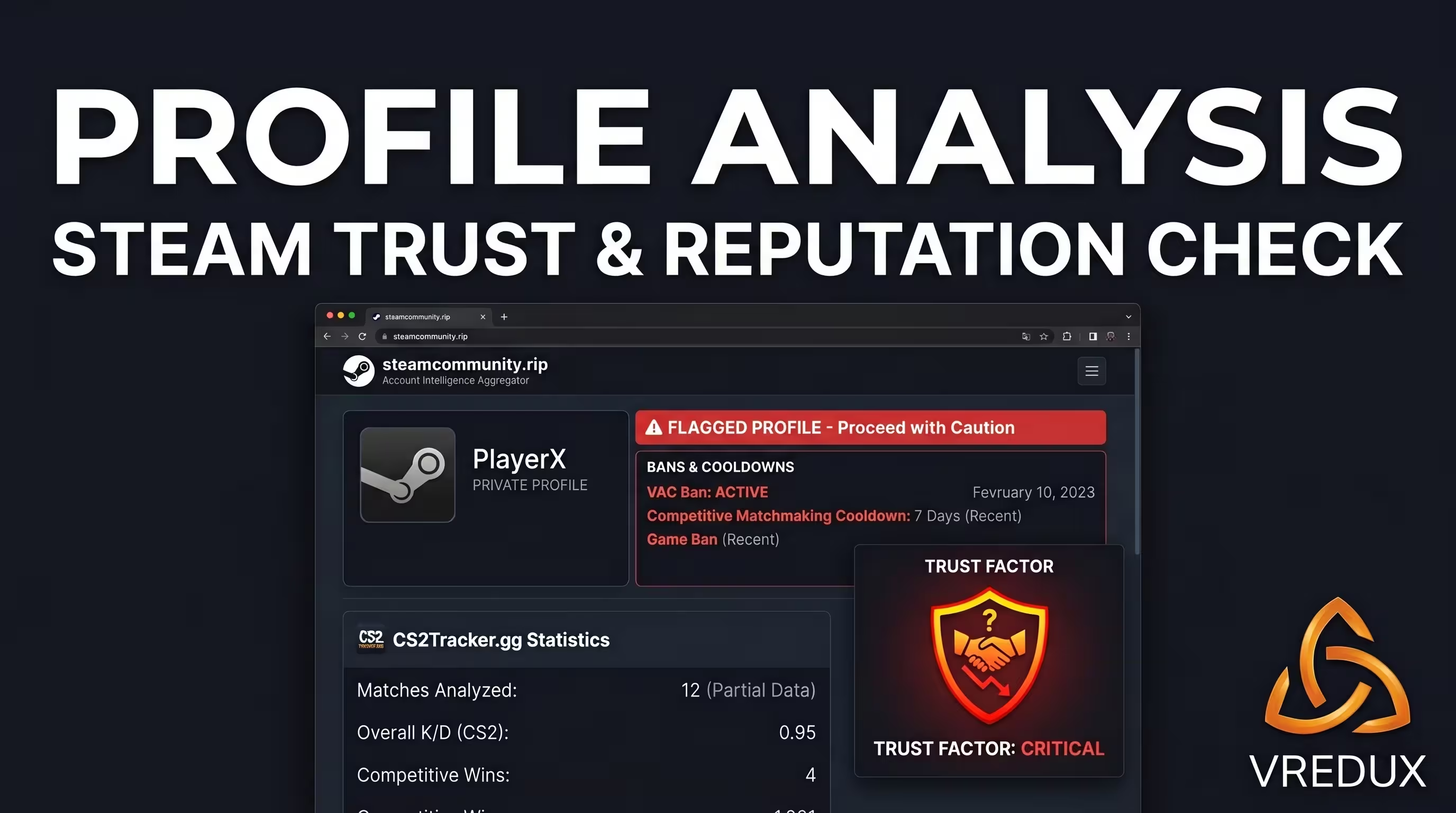
This isn't a PC scanner, but a web aggregator. You drop in the profile link, and the site pulls data from Steam and Leetify. The killer feature is its AI cheat signals (Heuristic AI). If a player deals unnaturally high wallbang damage or has an anomalous K/D over a 100-match span, the system flags them. A solid tool for pre-screening.
Part 4. Manual PC forensics: the admin's methodology
Any scanner can be bypassed. A real CS2 cheat check starts when an admin takes control via AnyDesk and begins manual forensics (hunting for digital footprints).
Stage 1. Preparation: hidden files and TeamViewer
First off, ask the suspect to download AnyDesk or share their screen in Discord. Open "File Explorer Options" and make sure to check "Show hidden files, folders, and drives". Without this step, further searching is pointless—most loaders hide their configs.
Stage 2. Execution history and Prefetch
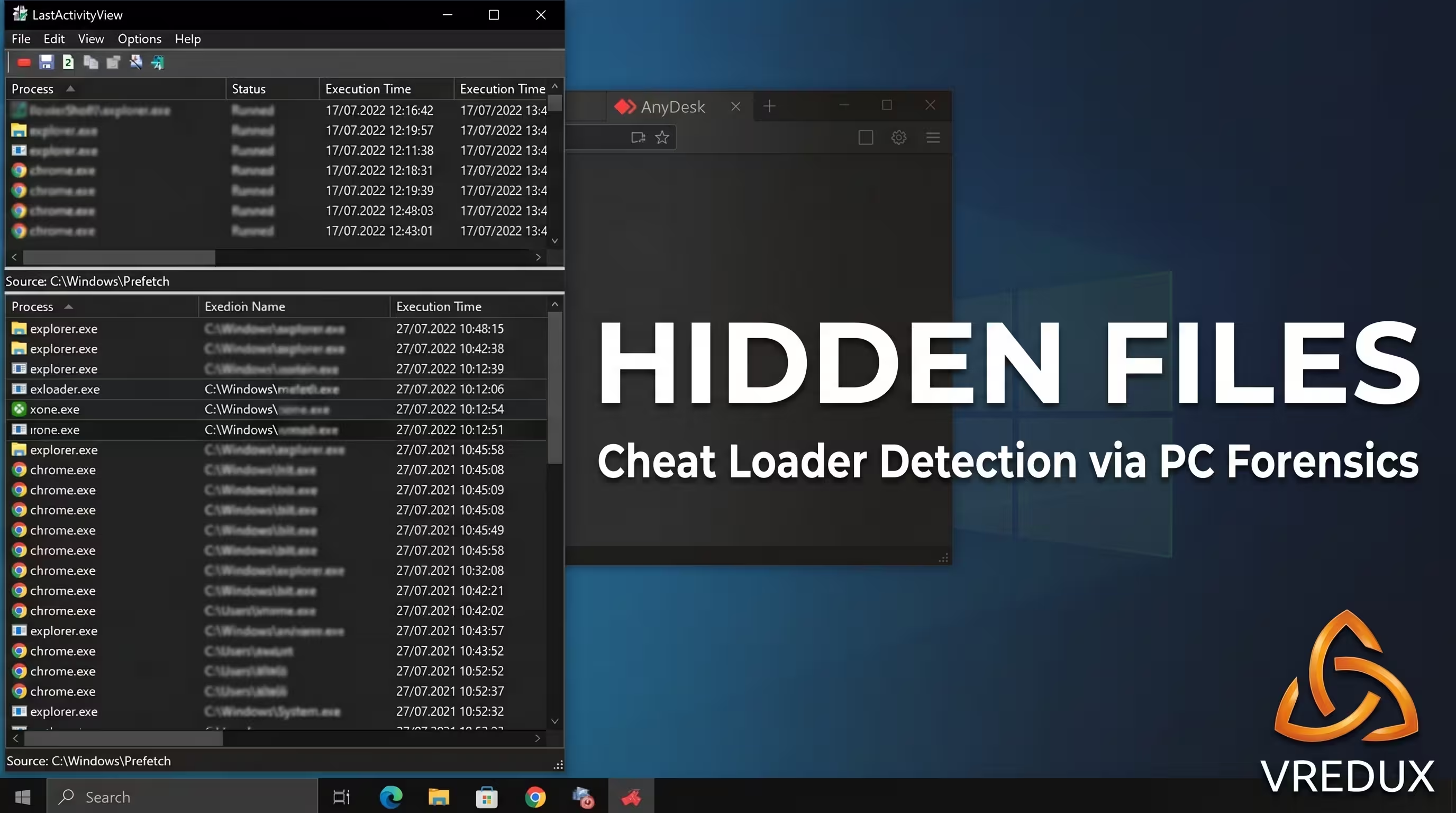
This is where Nir Sofer's LastActivityView utility comes into play. This program extracts the execution history of EXE files by analyzing the C:\Windows\Prefetch folder. Our task is to cross-reference the launch time of a suspicious file with the start time of the CS2 gaming session. If a sketchy file was run from the "Downloads" folder 2 minutes before booting up CS and then deleted—that's a 100% ban.
Stage 3. File search and checking configs (Everything)
The built-in Windows search is too slow. Download Everything (by Voidtools), which instantly indexes the NTFS MFT. Punch in a verified list of signature keywords:
- Exloader
- Xone
- Nixware
- Memesense
- Midnight
- PPHUD
Stage 4. USB devices and hidden drives
Many cheaters run the software from a flash drive and instantly yank it from the port. Use the USBDeview utility. Sort the Registry Time 1 column (last connection). If you spot a flash drive pulled out the exact moment you typed !check in chat—the player gets a perma-ban.
Stage 5. Processes, drivers, and advanced forensics
For RAM analysis, use Process Hacker (or System Informer). Look for spoofed processes. Keep the method's limitations in mind, though: Ring0 cheats (kernel-level) and advanced DMA hardware won't show up in a standard Task Manager. Here, only behavioral analysis will save us.
Part 5. Behavioral analysis: demos and gameplay markers
If a cheater knows how to clean their system, you can only check the player for CS2 cheats through their server behavior. Demos don't lie. To understand what features a cheater might use, study our breakdown of CS2 cheat commands.
Demo analysis: commands and interface
Download the match demo (Watch → Your Matches tab). Open the developer console (tilde ~) and type demoui. We are interested in three console commands:
playdemo [filename]— starts playback.demo_timescale 0.5— slows down time to spot micro-corrections.spec_show_xray 1— enables X-Ray to see player outlines through walls in demo mode.
10 sure signs of cheating with numerical thresholds
One sketchy frag isn't a death sentence. But if you see a systematic repetition of the following patterns, you can safely issue a ban:

Sometimes weird behavior has nothing to do with software. A noob might AFK in spawn for 20 seconds figuring out the buy menu, then sprint out in a panic and hit a lucky headshot. Assess the big picture, not just a single round.
Part 6. Checking Steam profiles and reputation
If you don't have access to the demo (for example, you're playing matchmaking), checking the CS2 profile for cheats is your best friend.
Fast screening via aggregators: .rip, CS2Tracker.gg, Nohax.club
There's a genius and fast method: while on a Steam profile page in your browser, just swap the .com in the URL for .rip (it becomes steamcommunity.rip/id/...). This service by Snek239 instantly pulls aggregated stats from FACEIT, Leetify, and CSStats into one convenient window.
The Nohax.club site lets you check a player's reputation against a community database. If they've already been reported on other public servers, you'll see it before you even start the PC check.
Trust Factor: unofficial methods
As I mentioned earlier, there's no exact Trust number. But there's an old-school way to check using the "Looking to Play" tab in the main menu. If you see 20+ players with Prime status and high ranks there—your Trust is green. If the list is empty or only has 2-6 unbadged players—your account is in the red zone (low Trust Factor), and you're playing on servers with a high concentration of cheaters.
Part 7. Evidence base and issuing bans
You found a script, spotted WH on the demo, or the player simply refused to join Discord. Time to issue the verdict. It's important to distinguish between ban types.
For server admins, compiling evidence is critical. If you're banning for cheats, you must have saved demo timestamps, screenshots of LastActivityView logs, or a screen recording of the check. Without this, any competent Head Admin will lift your ban on appeal, which is issued via your admin plugin command (e.g., css_ban in CS2-AdminPlus).
FAQ: Frequently Asked Questions
Bottom Line
Here's what you need to remember: there's no such thing as a perfect anti-cheat, just like there's no such thing as invisible software. Sooner or later, every cheater makes a mistake—they'll either get caught on X-Ray or forget to clean their Prefetch before joining your server. A properly configured plugin, a cool head, and basic Windows skills are your arsenal. You can always learn more about mechanic nuances and secret game settings in the VRedux knowledge base. Happy fragging and keep those servers clean!