To be honest, nothing tilts me more than spawning into a crucial round, fumbling with the circular purchase menu, and running out of spawn late with a Glock and no armor. In Counter-Strike 2, every second of the freeze time counts. If you are still clicking on guns with your mouse, you are living in the past. It's time to set up CS2 buy binds.
.jpg)
I remember back in the 1.6 days, having a full numpad setup was the mark of a pro. Today, it’s a necessity. In this guide, I’m going to show you how to set up binds to buy equipment instantly, which commands you need, and how to create a config that saves you time and nerves.
Whether you are a complete beginner or a faceit level 10 grinder, this instruction will help you shop faster than you can say "Rush B".
What Are Buy Binds Commands and Why Do You Need Them?
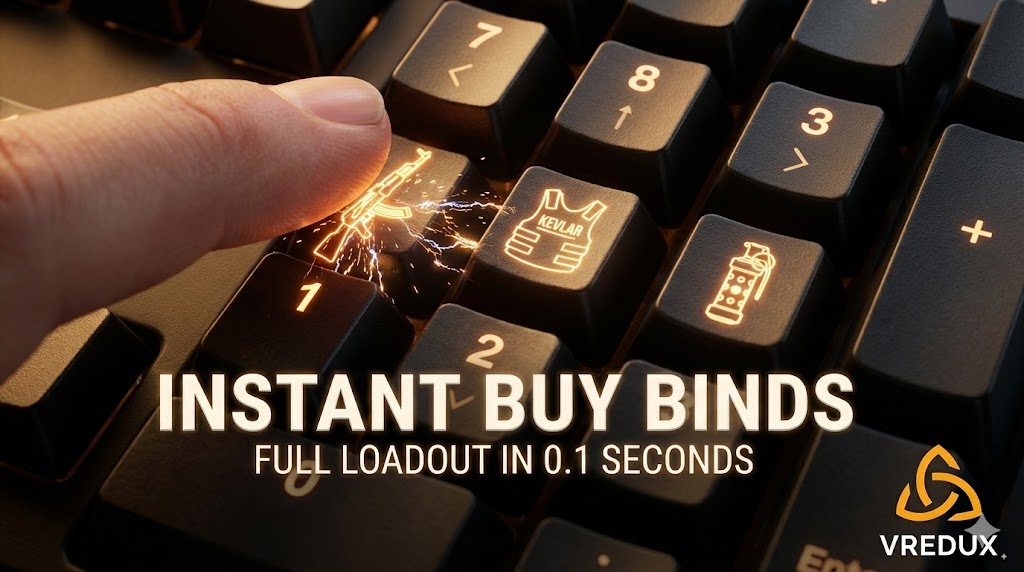
Simply put, a buy bind is a command that links a specific key on your keyboard (usually the Numpad) to a specific action—in this case, buying a weapon, grenade, or gear.
Instead of opening the buymenu (default B), navigating to rifles, clicking the AK-47, going back, clicking armor, and then clicking grenades, you just press one button.
Here is why this is critical:
- Speed: You buy a full loadout in 0.1 seconds.
- Focus: You can watch the radar or talk to teammates while buying.
- Drop Fast: Teammate needs an AWP? One tap and it’s on the floor.
- Economy: You make fewer mistakes (no more accidental M249 purchases).
Start buying like a pro. Let's look at how to set this up.
.jpg)
How to Create Buy Binds in CS2: Two Methods
There are two main ways to do this. You can use the console for quick, temporary changes, or an autoexec file for a permanent setup.
Method 1: Using the Developer Console
This is the fastest way if you just want to bind one key.
- Open CS2.
- Make sure the console is enabled in settings (Game -> Enable Developer Console).
- Press ~ (tilde) to open it.
- Type the command following this syntax:
bind [key] "buy [weapon]"
Example:
If you want to buy a Flashbang by pressing F1:
bind f1 "buy flashbang"Method 2: The Autoexec Config (Recommended)
If you type commands in the console, sometimes CS2 forgets them after an update or a crash. To make sure your binds stay forever, use an autoexec.
- Go to your Steam library, right-click Counter-Strike 2 -> Manage -> Browse Local Files.
- Navigate to
game\csgo\cfg. - Create a new text document and name it autoexec.cfg.
- Paste all your bind commands there.
- In Steam Launch Options for CS2, add
+exec autoexec.cfg.
This is the best way to ensure your purchase settings are always loaded when you launch the game.
.jpg)
The Ultimate List of Weapon and Item Codes
To create your own binds, you need to know the internal system names for every item. You can't just type "buy big green gun".
Here is a useful table of the weapon codes you will need:
Rifles and Snipers
| Weapon Name | Console Code |
| AK-47 / M4A4 / M4A1-S | buy ak47 (works for both sides) |
| AWP | buy awp |
| Galil AR / FAMAS | buy galilar / buy famas |
| Scout (SSG 08) | buy ssg08 |
| AUG / SG 553 | buy aug / buy sg553 |
Pistols
| Weapon Name | Console Code |
| Deagle (Desert Eagle) | buy deagle |
| Tec-9 / Five-Seven | buy tec9 / buy fiveseven |
| P250 | buy p250 |
| Dual Berettas | buy elite |
Note: For the main rifle slot, usually buy ak47 works for both CT (M4) and T (AK) depending on which side you are on, provided they are in the same loadout slot.
Grenades and Gear (Important!)
These are the ones you will spam the most.
- Flashbang:
buy flashbang - Smoke:
buy smokegrenade - Molotov/Incendiary:
buy molotov; buy incgrenade - HE Grenade:
buy hegrenade - Armor (Vest):
buy vest - Armor + Helmet:
buy vesthelm - Defuse Kit:
buy defuser - Taser (Zeus):
buy taser
Numpad Key Names for Binds
This is where many people get stuck. The keys on the right side of your keyboard (the Numpad) have special names in the engine. You cannot just write "1" or "2".
- 1:
kp_1 - 2:
kp_2 - 3:
kp_3 - 4:
kp_4 - 5:
kp_5 - 6:
kp_6 - 7:
kp_7 - 8:
kp_8 - 9:
kp_9 - 0:
kp_0 - . (Del):
kp_del - Enter:
kp_enter - +:
kp_plus - -:
kp_minus - *:
kp_multiply - /:
kp_divide
Also, you can use the arrow keys if you don't have a numpad: uparrow, downarrow, leftarrow, rightarrow.
.jpg)
Best CS2 Buy Binds: Ready-to-Use Configurations
I have tested dozens of layouts, and honestly, the standard Numpad layout is the most efficient. It mimics the visual layout of your inventory.
You can copy and paste these directly into your console or config.
1. The "Essential" Numpad Setup
This setup covers 90% of what you buy in a match.
-
Numpad 1 (Main Rifle):
bind "kp_1" "buy ak47; buy m4a1" -
Numpad 2 (Vest + Helmet):
bind "kp_2" "buy vesthelm; buy vest"(Pro tip: putting vesthelm first tries to buy full armor; if you lack money, it buys just the vest).
-
Numpad 3 (Flashbang):
bind "kp_3" "buy flashbang" -
Numpad 4 (Smoke):
bind "kp_4" "buy smokegrenade" -
Numpad 5 (Molotov):
bind "kp_5" "buy molotov; buy incgrenade" -
Numpad 6 (HE Grenade):
bind "kp_6" "buy hegrenade" -
Numpad Enter (Defuse Kit):
bind "kp_enter" "buy defuser"
2. The "Sniper & Eco" Add-ons
Sometimes you need to drop an AWP or force buy a Deagle.
-
Numpad 7 (AWP):
bind "kp_7" "buy awp" -
Numpad 8 (Deagle):
bind "kp_8" "buy deagle" -
Numpad 9 (MP9 / Mac-10):
bind "kp_9" "buy mp9; buy mac10"
3. The "One Button Full Buy"
This is for the lazy ones. One button to buy everything.
-
F3 (Full Buy):
bind "f3" "buy ak47; buy vesthelm; buy flashbang; buy smokegrenade; buy molotov; buy defuser"
Note on Generators:
There are many tools online called a bind generator. They are useful, but often outdated. Writing the code yourself ensures it works perfectly with the current version of Counter-Strike 2.
Would you like to learn more about optimizing your gameplay? Check out our guide on how to increase FPS in CS2 or learn about setting up jumpthrows and other binds.
Troubleshooting: Why Are My Binds Not Working?
I’ve seen it happen a hundred times. You type the code, press the key, and... silence. No purchase. Here is what usually goes wrong.
1. The Console Doesn't Open
If your console is not opening, check your keyboard language settings or ensure you actually enabled it in the "Game" settings tab. Also, try adding -console to your launch options.
2. Wrong Key Names
As I mentioned, typing bind 1 buy ak47 will bind your main weapon slot (key 1) to buy an AK. That ruins your gameplay. Always use kp_ for numpad.
3. Loadout Issues
In CS2, you have a limited loadout. If you try to buy p250 but you don't have the P250 equipped in your active loadout menu, the command won't work. Binds only work for weapons you have currently equipped in your loadout slots.
4. Syntax Errors
Don't forget the quotes! bind kp_1 buy awp might not work. bind "kp_1" "buy awp" is the correct syntax.
.jpg)
Advanced Tips: Combine Actions
You can stack commands. Binds allow you to do complex actions with one tap.
For example, you can make a "Drop" key.
bind "p" "buy ak47; drop"
This instantly buys a gun and drops it for your teammate without you having to switch weapons.
Another useful trick is binding chat messages to your buys, so your team knows what you are doing.
bind "kp_3" "buy flashbang; say_team Flashed!"
(Okay, maybe don't spam chat too much, but you get the idea).
FAQ
Here are the most common questions I get about buying equipment in CS.
Can I get banned for using buy binds?
Absolutely not. These are native console commands provided by Valve. Whether you use a bind generator or type it manually, it is 100% legal and safe. Even pros use them at majors.
Does this work in CS2 exactly like in CS:GO?
Yes, the commands are almost identical. The only major difference is the loadout system. You must ensure the weapon is in your weekly loadout for the command to trigger.
How do I unbind a key?
If you messed up, just open the console and type unbind [key]. For example: unbind kp_1.
Can I use F-keys instead of Numpad?
Yes! bind f1, bind f2, etc. are very popular. I personally use bind f4 for a buy defuser shortcut because it's easy to reach.
What is the "cl_buywheel_donate_key"?
This is a new setting in CS2 that lets you buy weapons directly for teammates using the menu. But honestly, a drop bind is still faster.
Conclusion
Setting up CS2 buy binds is one of those "quality of life" upgrades that you will wonder how you lived without. It makes the game feel smoother, faster, and more professional.
You stop worrying about the shop timer and start thinking about the round strategy. It takes maybe 5 minutes to set up your autoexec or type the commands into the console, but it saves you hours of frustration in the long run.
Don't be that guy standing in spawn for 10 seconds deciding which SMG to buy. Set up your keys, buy automatically, and rush the objective.
Ready to upgrade your CS2 experience further?
Check out our full section of guides at VRedux Articles or visit our Main Page for premium tools to boost your rank.
Good luck, and have fun!