Missed smokes lose rounds. It’s a harsh truth. We’ve all been there: you line up a crucial execution on Mirage, throw the smoke, and… it lands on a roof, leaving your team exposed to an AWP. In Counter-Strike 2, knowledge is power, but muscle memory is king. To build that memory, you need a proper practice environment.
.jpg)
Unlike the old days of manually restarting servers, CS2 grenade commands allow you to turn a local server into a laboratory. I’m talking about seeing exactly where your nade lands before you even throw it, infinite ammo, and flying through walls to check angles. If you want to stop guessing and start knowing, you need to set up your practice config correctly. In this guide, I’ll walk you through every command you need to master your utility game, backed by the tools we use at VRedux to analyze gameplay mechanics.
Table of Contents:
Server Setup: The Essentials
Before we get into the fancy trajectory stuff, we need to prep the server. You can’t practice if bots are shooting you or the round ends every two minutes. To start, launch a "Practice" match with "Casual" mode selected.
Once you are in, the first thing you must do is open the developer console. If you haven’t enabled it yet, check out our guide on how to enable cheat commands in CS2, as it covers the basics of unlocking the console. Now, type the holy grail of practice commands:
sv_cheats 1
This unlocks the server’s true potential. Without sv_cheats, none of the console commands for training below will work. Once cheats are on, we need to clean up the map.
Core Server Commands
Enter these commands one by one (or copy the config at the end of this article) to remove annoyances:
bot_kick— Kicks all bots. No more distractions.mp_warmup_end— Ends the warmup immediately.mp_limitteams 0andmp_autoteambalance 0— Allows you to be alone on the server without the game trying to add bots or switch you.mp_roundtime_defuse 60— Sets the round time to 60 minutes. You don't want the round resetting while you're learning a smoke lineup.mp_freezetime 0— Removes the wait time at the start of a round.mp_restartgame 1— Restarts the match to apply the settings.
Grenade Trajectory & Camera Preview (PIP)
This is where CS2 completely changes the game compared to CS:GO. If you are searching for the old CS GO grenade trajectory command (sv_grenade_trajectory 1), stop. It doesn't exist anymore. Valve replaced it with something much better.
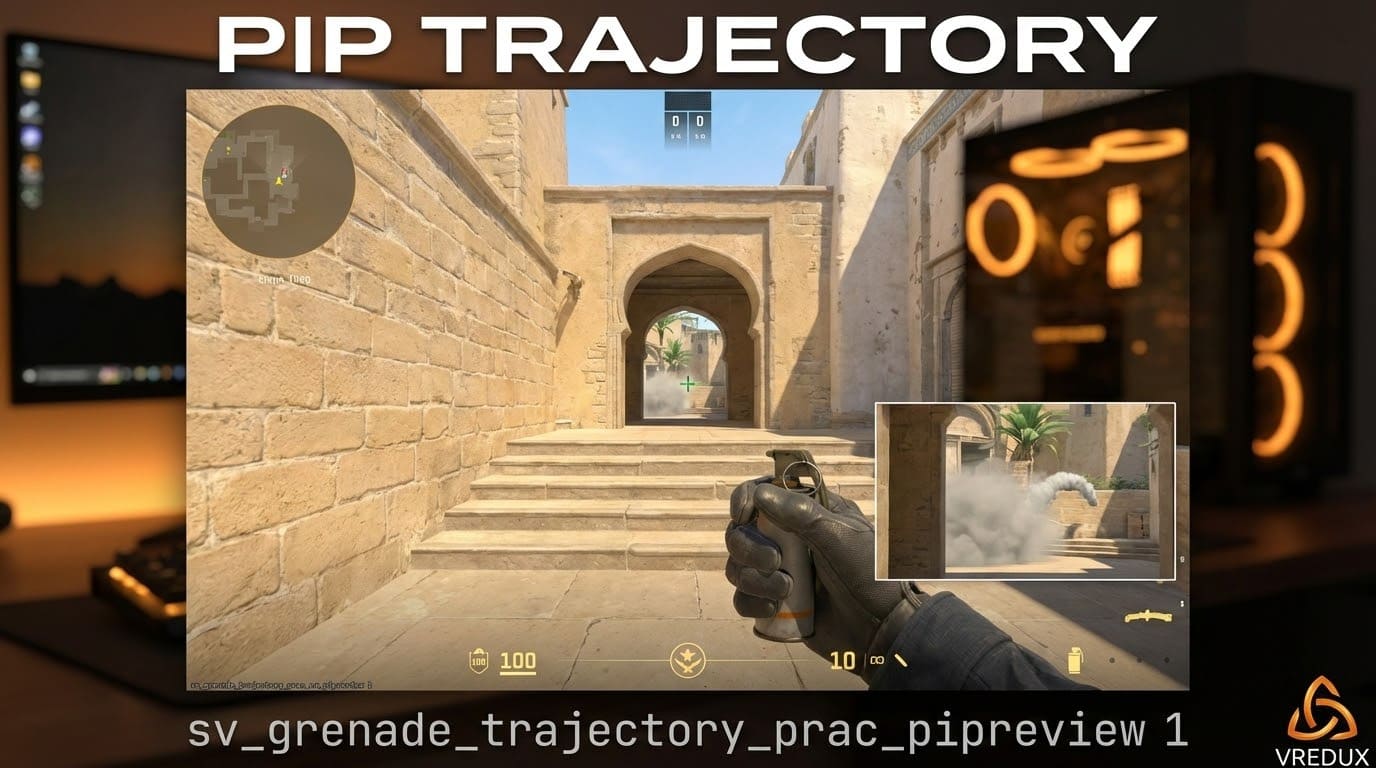
In CS2, we have the "Picture-in-Picture" (PIP) feature. This opens a small camera window showing exactly where your grenade will land while you are holding the pin. It’s a game-changer for finding pixel-perfect lineups.
The New Holy Grail Command
sv_grenade_trajectory_prac_pipreview 1
When you type this, you get a live preview. You pull the pin, and a small screen pops up showing the impact zone. This CS2 nade trajectory command eliminates the trial and error of throwing, checking, and throwing again.
However, if you still want the classic visual line (the green trail following the grenade), it’s now enabled by default in practice mode, but you can force it with:
sv_grenade_trajectory_prac_trailtime 8
This keeps the projectile path visible for 8 seconds, allowing you to study the bounce mechanics. This is critical when learning how to throw grenades in CS that involve complex skybox bounces.
.jpg)
Infinite Ammo & Resources
Nothing kills the flow of practice like running out of utility. You don't want to run back to the spawn every time you throw a flashbang. To solve this, we use the infinite ammo commands.
Which Infinite Ammo Command is Best?
There are two settings for this, and the difference matters:
sv_infinite_ammo 1— This gives you truly infinite ammo. You never have to reload, and your grenade count never drops. This is the best option for spamming throws to find a lineup.sv_infinite_ammo 2— This gives you infinite magazines, but you still have to reload guns and the grenade disappears from your hand (but you get a new one).
For grenade practice commands, always stick to sv_infinite_ammo 1.
Buying Anywhere
Sometimes you need to switch from a smoke to a Molotov quickly. Instead of running to a buy zone, enable the entire map as a shop:
mp_buy_anywhere 1
Combine this with mp_maxmoney 60000 and mp_startmoney 60000 to ensure you can buy whatever you need, whenever you need it. This setup effectively gives you infinite grenades without hassle.
Mobility: Noclip & Binds
To check if your smoke actually covers the window on Mirage or if there’s a gap in your Vertigo wall, you need to move fast. Running is too slow. You need to fly.
Setting Up Noclip
The noclip command allows you to fly through walls and move at high speed. It is essential for checking trajectories and impact points immediately.
Type this in the console:
bind "v" "noclip"
Now, whenever you press "V" (or any key you choose), you toggle ghost mode. It’s the standard for any practice config. While you are customizing your movement, you might also want to look into optimizing your jumps. Check out our guide on the CS2 mouse wheel jump bind to keep your movement fluid while testing spots.
.jpg)
Advanced Testing: Rethrow & Impact
Here is where we separate the casuals from the pros. Knowing where a grenade lands is one thing; knowing how it feels to the enemy is another. This is especially true for flashbangs. You need to know if your pop-flash actually blinds the enemy or if it’s easy to dodge.
The "Rethrow" Command
The command sv_rethrow_last_grenade is arguably the most powerful tool for solo practice. It repeats the last grenade you threw from the exact same position.
How to use it effectively:
- Throw your flashbang.
- Run to the position where the enemy would be standing.
- Press your bind for rethrow.
- See if you get blinded.
To make this work, you need a bind. I personally use:
bind "p" "sv_rethrow_last_grenade"
Clearing Smokes
When you are spamming smokes, the map gets filled with grey clouds quickly, making it hard to see. You don't want to wait 20 seconds for the smoke to fade. Use this command to instantly clear all effects:
bind "n" "ent_fire smokegrenade_projectile kill; ent_fire molotov_projectile kill; ent_fire flashbang_projectile kill; stopsound"
This script clears smoke, fire, and flash effects instantly. It’s a lifesaver for training grenades in CS2.
.jpg)
Give Weapon Commands List
Sometimes the buy menu is too slow. If you want to drop specific grenades in CS via the console or create a bind to equip them instantly, you need the item codes.
| Grenade Type | Console Command | Notes |
|---|---|---|
| Smoke Grenade | give weapon_smokegrenade |
Essential for execution |
| Flashbang | give weapon_flashbang |
Test pop-flashes |
| Molotov (T) | give weapon_molotov |
Area denial |
| Incendiary (CT) | give weapon_incgrenade |
Same as Molotov but expensive |
| HE Grenade | give weapon_hegrenade |
Damage testing |
You can also use give weapon_decoy if you want to be annoying. Knowing these codes helps when setting up specific scenarios or practice commands scripts.
.jpg)
The Ultimate Copy-Paste Config
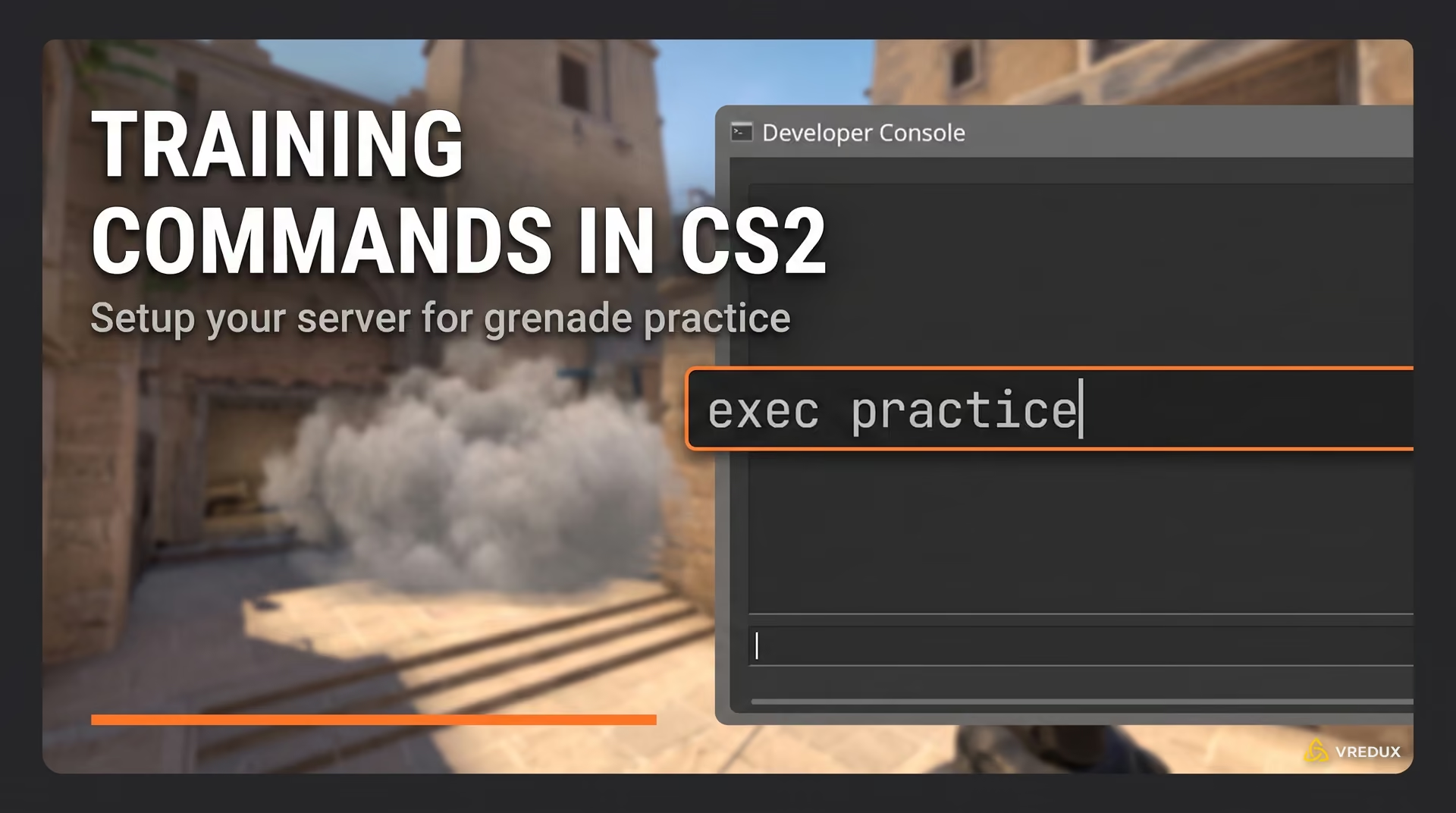
Typing these commands every single time you launch a server is a pain. The pro move is to create a config file. Open Notepad, paste the code below, save it as practice.cfg, and place it in your csgo/cfg folder. Then, in the game, just type exec practice.
Here is the complete script combining everything we discussed:
 sv_cheats 1 bot_kick mp_limitteams 0 mp_autoteambalance 0 mp_freezetime 0 mp_roundtime 60 mp_roundtime_defuse 60 mp_roundtime_hostage 60 mp_maxmoney 60000 mp_startmoney 60000 mp_buytime 9999 mp_buy_anywhere 1 sv_infinite_ammo 1 ammo_grenade_limit_total 5 sv_grenade_trajectory_prac_pipreview 1 sv_grenade_trajectory_prac_trailtime 8 mp_warmup_end mp_restartgame 1

// Binds (Change keys as needed) bind "v" "noclip" bind "p" "sv_rethrow_last_grenade" bind "alt" "ent_fire smokegrenade_projectile kill; ent_fire molotov_projectile kill; ent_fire flashbang_projectile kill"
This config sets up unlimited grenades, enables the camera preview, and gives you all the tools to practice smokes efficiently. It’s the exact setup used by pros to find those crazy lineups you see at Majors.
FAQ: Common Questions
What is the command to see grenade trajectory in CS2?
The old CSGO grenade commands like sv_grenade_trajectory are gone. In CS2, you use sv_grenade_trajectory_prac_pipreview 1 to see a live camera window of the impact, or sv_grenade_trajectory_prac_trailtime 8 to see the line after throwing.
How do I get infinite grenades in CS2?
You need to use the command sv_infinite_ammo 1. This prevents your grenade count from decreasing when you throw them. Make sure sv_cheats 1 is enabled first.
How do I rethrow the last grenade?
Use the command sv_rethrow_last_grenade. It's best to bind this to a key, like bind "p" "sv_rethrow_last_grenade", so you can test flashbangs against yourself.
Why aren't my commands working?
99% of the time, it's because you haven't enabled cheats. Type sv_cheats 1 in the console. If the console won't open, check your game settings to ensure the "Developer Console" option is set to "Yes".
Conclusion
Mastering utility in CS2 isn't about memorizing a thousand lineups; it's about understanding the mechanics. With these CS2 grenade commands, you aren't just memorizing—you are experimenting. You can see the trajectory, test the pop-flash timing, and verify smoke gaps instantly.
Don't be that guy who buys a smoke and dies with it in his hand because he didn't know the lineup. Load up a local server, exec your config, and spend 20 minutes throwing nades. Your Elo (and your teammates) will thank you.
Ready to learn more? Check out our complete list of guides in the VRedux Articles Section.