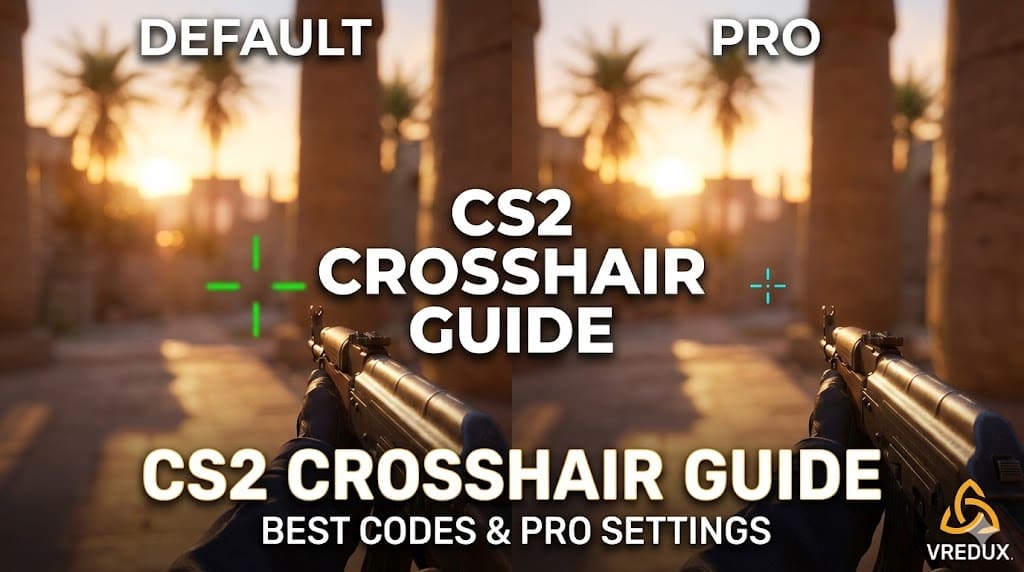
Let’s be real for a second. You can have the best movement in the world and game sense like a god, but if your crosshair in CS2 looks like a giant, blurry mess, you aren’t hitting those one-taps. When I first switched from Global Offensive to Counter-Strike 2, the first thing I noticed was how different the shooting felt.
.jpg)
The visuals are brighter, the smokes are volumetric, and that default dynamic reticle? It just doesn't cut it for serious play. Finding the perfect crosshair is a journey every CS2 player goes through. Whether you want s1mple’s crosshair, a static dot, or just want to know how to change crosshair in CS2 without getting a headache, you are in the right place.
Article Contents:
Why Your Crosshair Configuration Matters
Honestly, when I see a player running around with a default dynamic green thing that expands to the size of a watermelon when they move, I know they are going to have a hard time. The crosshair is your point of contact with the game. It needs to be visible against bright maps like Anubis but precise enough to click heads on Mirage.
A player might struggle with recoil control simply because their interface is distracting them. The goal is to find a crosshair style that disappears when you are looking at the map but appears instantly when you focus on an enemy.
How to Change Crosshair in CS2
If you are new to Counter Strike, you might be wondering how to change the crosshair in CS2. Valve actually made this way easier in CS2 compared to the early days of CSGO. You have three main ways to do it.
Method 1: The Settings Menu (Easiest)
- Open the game and go to the Settings menu.
- Click on the Game tab and then select Crosshair.
- Here you can see the visual crosshair generator. You can adjust the length, gap, outline, and color using sliders.
- You can watch the preview image change in real-time.
.jpg)
Method 2: Import Crosshair Code (Fastest)
This is the game-changer. You don't need to fiddle with sliders. If you have CS2 crosshair codes, you can just:
- Go to the Crosshair settings.
- Click "Share or Import".
- Copy and paste the code into the window.
- Click "Import". Boom, you now have NiKo or ZywOo's exact setup.
Method 3: Developer Console (For Nerds like me)
If you are old school, you use crosshair console commands.
- Enable the developer console in settings.
- Press ~ (tilde).
- Type commands like
cl_crosshairstyle 4orcl_crosshairsize 2.
Best CS2 Crosshair Codes Used by Pros
I’ve scoured every crosshair database and watched countless demos to bring you the actual CS2 pro crosshairs current for 2026. Professional players change their settings often, but these are the legendary configurations that win tournaments.
The AWP Gods & Riflers
s1mple — The GOAT himself. s1mple often switches, but his most iconic one is a small size, usually Yellow or Cyan.
Code: CSGO-kuMHT-6DB3P-HrHGL-XnXo8-L5OXO
ZywOo — The French vitality machine usually rocks a very small, non-intrusive crosshair.
Code: CSGO-Qzpx5-BRLw8-xFPCS-hTns4-GHDhP
NiKo — One of the best riflers in history. NiKo uses a tiny crosshair that requires perfect precision.
Code: CSGO-UwUWf-AScRw-fmW79-woFNe-wLsuL
.jpg)
m0nesy — The young sniper prodigy. His CS2 settings are optimized for fast AWPing and crisp Deagle shots.
Code: CSGO-hzrMn-jXu8b-R7VH4-nhWK4-99ZYD
donk — The aggressive entry fragger who took the scene by storm. donk uses a setup that helps with spray control.
Code: CSGO-HRUtd-7vZGg-wEey8-s55G9-ODR7C
Other Top Tier Pro Crosshairs
- Twistzz (Headshot machine): CSGO-YhXjL-3Jj67-pX7oL-hZ7Xk-44dqA
- ropz (The lurker): CSGO-HOGR4-5r6Fj-a2Jqa-H6T8W-u2e8O
- b1t (Navi's aim god): CSGO-9OysP-sFw9F-C9POj-69z2Z-vyc3B
- sh1ro: CSGO-oit62-q2AsV-L2SHE-3hoEJ-cMwLA
- Ax1Le (Cloud9): CSGO-nZtO7-kLgwR-vvGjc-PfzJw-cMwLA
But hey, if you really want to dominate without sweating over every pixel, you might want to check out some external help. Our CS2 cheats at VRedux offer features that go beyond just a static UI.
CS2 Crosshair Console Commands: Customize It Yourself
Okay, copy-pasting is cool, but understanding how the engine works is better. I prefer using CS2 crosshair commands because I can tweak things mid-round.
.jpg)
Essential Commands Table
Here is the holy grail of crosshair commands CS2 organized for quick reference:
| Command | Function | Recommended Value |
|---|---|---|
cl_crosshairstyle |
Sets the style (Static or Dynamic) | 4 (Static) or 5 (Dynamic) |
cl_crosshairsize |
Length of the lines | 1.5 to 2.5 |
cl_crosshairgap |
Space in the center | -3 to 0 |
cl_crosshairthickness |
Thickness of lines | 0.5 to 1.0 |
cl_crosshaircolor |
Preset colors | 1 (Green), 4 (Cyan) |
cl_crosshairdot |
Adds a center dot | 0 (Off) or 1 (On) |
cl_crosshair_drawoutline |
Adds a black border | 1 (On) for better visibility |
Advanced Color Tip: If you use cl_crosshaircolor 5, you can mix your own RGB using cl_crosshaircolor_r, cl_crosshaircolor_g, and cl_crosshaircolor_b.
.jpg)
Types of Crosshairs: Which One is For You?
Choosing a crosshair style is subjective, but there are categories.
- The Static Crosshair (The Meta): Most professional players use static crosshair (
cl_crosshairstyle 4). It doesn't move when you run or jump. It helps you learn the center of your screen. - The Dynamic Crosshair: Good for beginners learning when their accuracy resets. It expands when you move (
cl_crosshairstyle 5). - The Dot Crosshair: A single pixel or small box. High precision, but can be easily lost in chaotic gunfights.
Command string:cl_crosshairstyle 4; cl_crosshairsize 0; cl_crosshairdot 1; cl_crosshairthickness 1; - The "T" Crosshair: Removes the top line. Some players feel this removes obstruction for headshots. Look for "T Style" in settings.
Troubleshooting & FAQ
Here are the questions I see spamming the forums and chat all the time.
How to copy a crosshair in-game?
You are spectating a teammate and think, "Wow, that's a nice crosshair." You don't need to ask them for the code. Just open the scoreboard (Tab), right-click to enable the mouse, click on their player name, and select "Copy Crosshair".
What is the best crosshair for CS2?
There is no single "best". However, a small, static, cyan or green crosshair with a slight outline is the most versatile. It works on Ancient, Nuke, and Mirage equally well.
My crosshair disappeared, what do I do?
Check if cl_crosshairalpha is set to 0 (invisible). Set it to 255. Also, check if crosshair 1 command is active.
Can I bind a crosshair change?
Yes! You can create a bind to switch crosshairs for different nades. For example, a huge crosshair for lining up smokes: bind "key" "toggle cl_crosshairsize 2 1000"
How to use a crosshair code in CSGO?
The codes from CS:GO generally work in CS2 and vice versa, as they share the same crosshair code format.
Conclusion
At the end of the day, your crosshair configuration is a tool. Whether you copy s1mple's crosshair, use a crosshair generator map from the workshop, or type CS2 crosshair command lines manually until your fingers bleed, the goal is comfort.
I recommend trying out a few pro crosshairs from the list above. Play a Deathmatch with NiKo's settings, then try donk's. See what sticks. And remember, if you are still missing shots even with the perfect crosshair, it might not be the pixels—it might be your recoil control.
For more guides on how to optimize your game, check out our articles section. We have guides on optimizing FPS and setting up binds that actually work.
Good luck, and aim for the head!