You know the feeling: you're practicing nades, you mess up a throw, and now you have to wait 2 minutes for the round to end? Or maybe you're in a 1v1 with a friend, and the round just won't reset? It’s frustrating. Honestly, digging through the console to find the right CS2 end round command was a headache for me when I first switched from GO to CS2. But once you set it up, it changes your practice routine forever.
In this guide, I’m going to cut the noise and show you exactly how to restart, end, or manipulate rounds in Counter-Strike 2. Whether you need infinite round time for practice or a quick way to restart the game, I've tested every command here personally. No BS, just the commands that actually work in 2026.
Article Contents:
.jpg)
The Truth: Is There a Direct "End Round" Command?
Here is the kicker: Valve didn't give us a single, magic button labeled "end_round". If you try typing that into the developer console, you'll get an error. To control the flow of the match, we have to use the command structure that manages the game rules.
To use any of the methods I'm about to show you, you must first enable developer console in the game settings and set sv_cheats 1. Without cheats enabled, the server (even a local one) won't let you mess with the round time or restart logic. So, open that console (usually the ~ key) and type:
sv_cheats 1
Now you are the admin of your own server. If you are looking for external help to dominate matches, you might want to check out VREDUX for more advanced tools, but for now, let's stick to the console.
.jpg)
The Best CS2 Console Commands to Restart and End Rounds
Since we can't just "end" the round, the most effective method is to force a restart. This is what pro players and map makers use constantly.
The Holy Grail: mp_restartgame
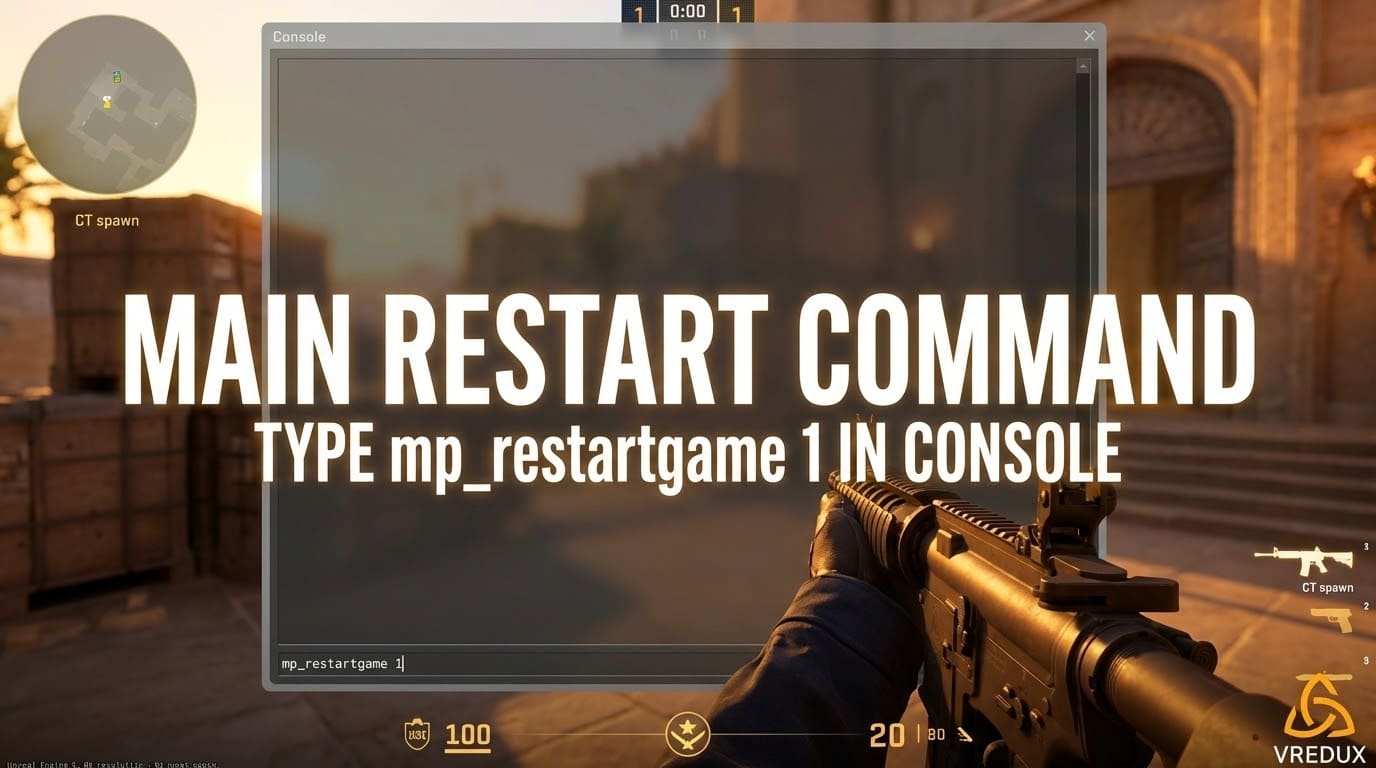
This is the most reliable command to restart match. It wipes the score, resets everyone's money, and puts you back at spawn.
mp_restartgame 1
The "1" stands for the delay in seconds. You can set it to mp_restartgame 30 if you want a countdown, but usually, we want it instant. This effectively acts as an end round command CS2 users are looking for because it kills the current round immediately.
Ending the Warmup
Often, you aren't stuck in a round, but stuck in that annoying warmup timer that lasts forever. To skip it and start the match logic:
mp_warmup_end
This command allows you to jump straight into the action. It's one of the best CS2 console commands for saving time when you just loaded up a workshop map.
The "Force Win" Method
If you don't want to restart the whole match (keeping scores intact) but just want the current round to end, you can technically eliminate the opposition. If you are playing against bots:
bot_kick
Or, if you just want to kill everyone to trigger a round end event:
kill
Typing kill in the console eliminates your character. If you are the last one alive, the round ends. It’s crude, but it works.
Pro Tip: Bind the restart command to a key so you don't have to open the console every time. Type
bind "p" "mp_restartgame 1"and hit P whenever you mess up a smoke lineup.
.jpg)
Managing Round Time: Infinite Rounds and Freezing
Sometimes you don't want to end the round; you want it to never end. This is crucial for CS2 practice sessions. If you are tired of the round ending just as you are lining up a shot, you need infinite round time.
Here is the standard config I use for every practice server:
mp_roundtime 60— Sets round time to 60 minutes (the maximum).mp_roundtime_defuse 60— Required for defuse maps like Mirage or Dust 2.mp_roundtime_hostage 60— For hostage maps like Office.mp_ignore_round_win_conditions 1— This is the game changer. It prevents the round from ending even if the time runs out or an objective is met.
After entering these, you usually need to type mp_restartgame 1 once for the settings to apply. Now you have CS2 infinite time to do whatever you want. Also, while you are tweaking the server, it is a good time to ensure your performance is stable; knowing how to show fps in CS2 is vital so you aren't practicing with frame drops.
Buying Anywhere and Infinite Ammo
If you are setting up a training environment, ending the round to buy weapons is a waste of time. Instead, use these commands:
mp_buytime 60000— Buy time lasts forever.mp_buy_anywhere 1— Open the buy menu anywhere on the map.sv_infinite_ammo 1— Never reload, never run out of nades.
.jpg)
Efficiency: Using an Autoexec File
Typing mp_roundtime 60 and sv_cheats 1 every single time you launch the game is tedious. I highly recommend creating an autoexec file.
You can create a text file named practice.cfg inside your CS2 cfg folder. Paste all your favorite console commands in cs2 regarding round time, ammo, and restarts into it. Next time you load a map, just open the in-game console and type:
exec practice
Boom. All settings applied instantly. This effectively acts as your personal setup script. You can include your jump throws, crosshairs, or even cheat commands for CS2 that you use for testing wallbangs (like r_drawothermodels).
FAQ: Common Questions About Round Commands
| Question | Answer |
|---|---|
| What is the CS2 end round command? | There isn't one direct command. Use mp_restartgame 1 to force a restart, effectively ending the current round. |
| How do I get infinite time? | Use mp_roundtime_defuse 60 and mp_ignore_round_win_conditions 1. |
| Why aren't commands working? | Ensure you have typed sv_cheats 1 first. These commands are protected. |
| Can I use this in Premier? | No. In CS2 Premier Season 4 or Competitive, you are not the server admin, so you cannot change game rules. |
.jpg)
My round isn't ending even when time runs out?
If you messed around with mp_ignore_round_win_conditions 1, the round will literally never end, even if the bomb explodes or everyone dies. To fix this, simply enter the following command:
mp_ignore_round_win_conditions 0
Then force one last restart. It happens to the best of us; sometimes you lock the server logic so tight that the game doesn't know how to proceed to the next round.
Conclusion
Mastering the console in CS2 is what separates casuals from people who actually improve. Whether you are looking for the best CS2 settings for a private server or just want to quickly restart the game after a failed grenade throw, commands like mp_restartgame and mp_roundtime are essential tools in your kit.
Don't be afraid to experiment with the developer console. You can't break the game (a simple restart fixes everything). Now that you know how to control the flow of time and rounds, go practice those sprays.
For more deep dives into game mechanics and optimization, check out our other guides in the VREDUX articles section.